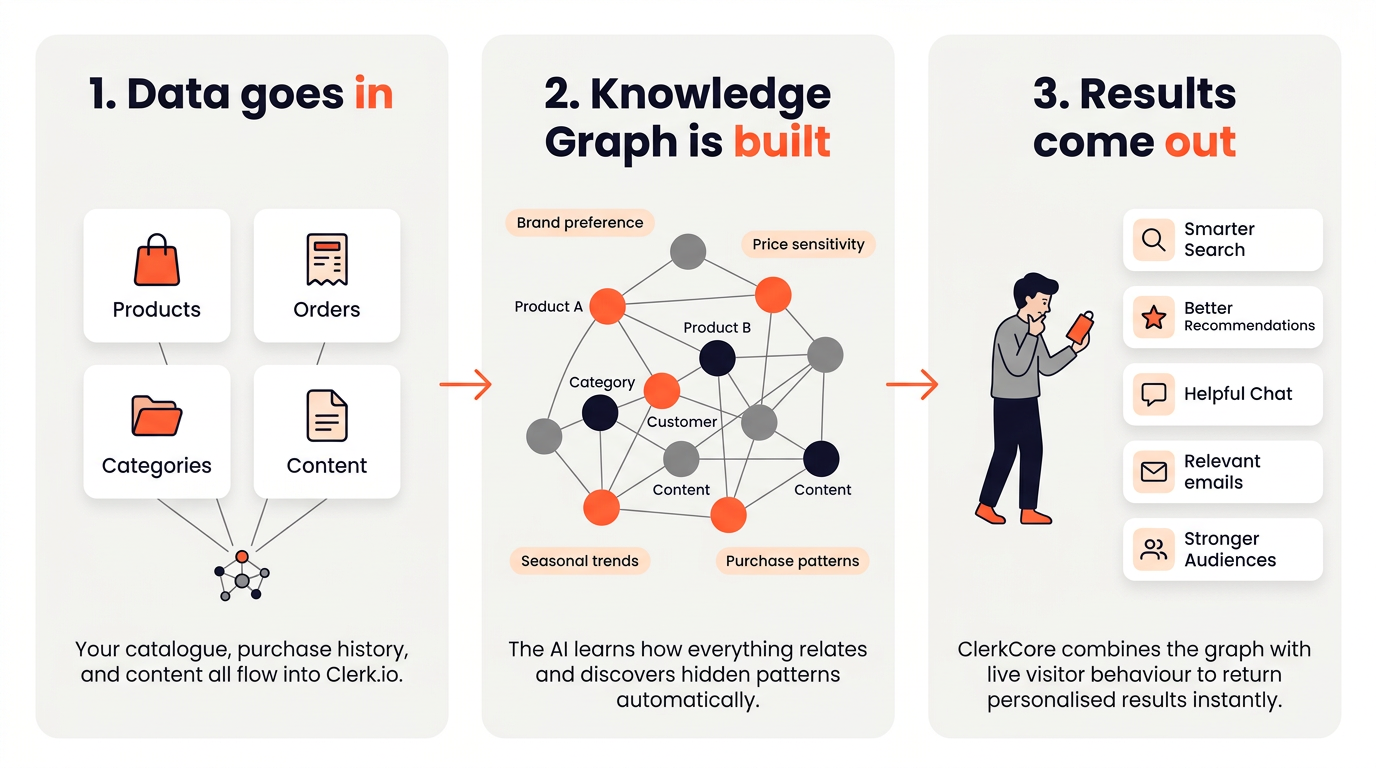
Clerk.io takes your store’s product catalogue and order history, runs it through a predictive AI engine, and makes the results available through an API that powers Search, Recommendations, Email, and Audience.
This article explains what happens under the hood — useful context for anyone setting up an integration, debugging unexpected results, or just curious about where the intelligence comes from.
Everything Clerk.io does comes down to three steps:
We believe everyone deserves privacy and a great shopping experience.
That’s why we’ve chosen to publicly disclose our tracking technology, enabling everyone to create a more private internet.
This article explains how our cookieless technology allows visitors to stay private while receiving a personalized experience, while also providing you with detailed analytics.
When Clerk does not have a prebuilt extension or integration for a given webshop platform, we refer to it as a custom platform.
The biggest difference is that custom platforms should sync with a
Data Feed and insert Clerk.io results into the frontend.
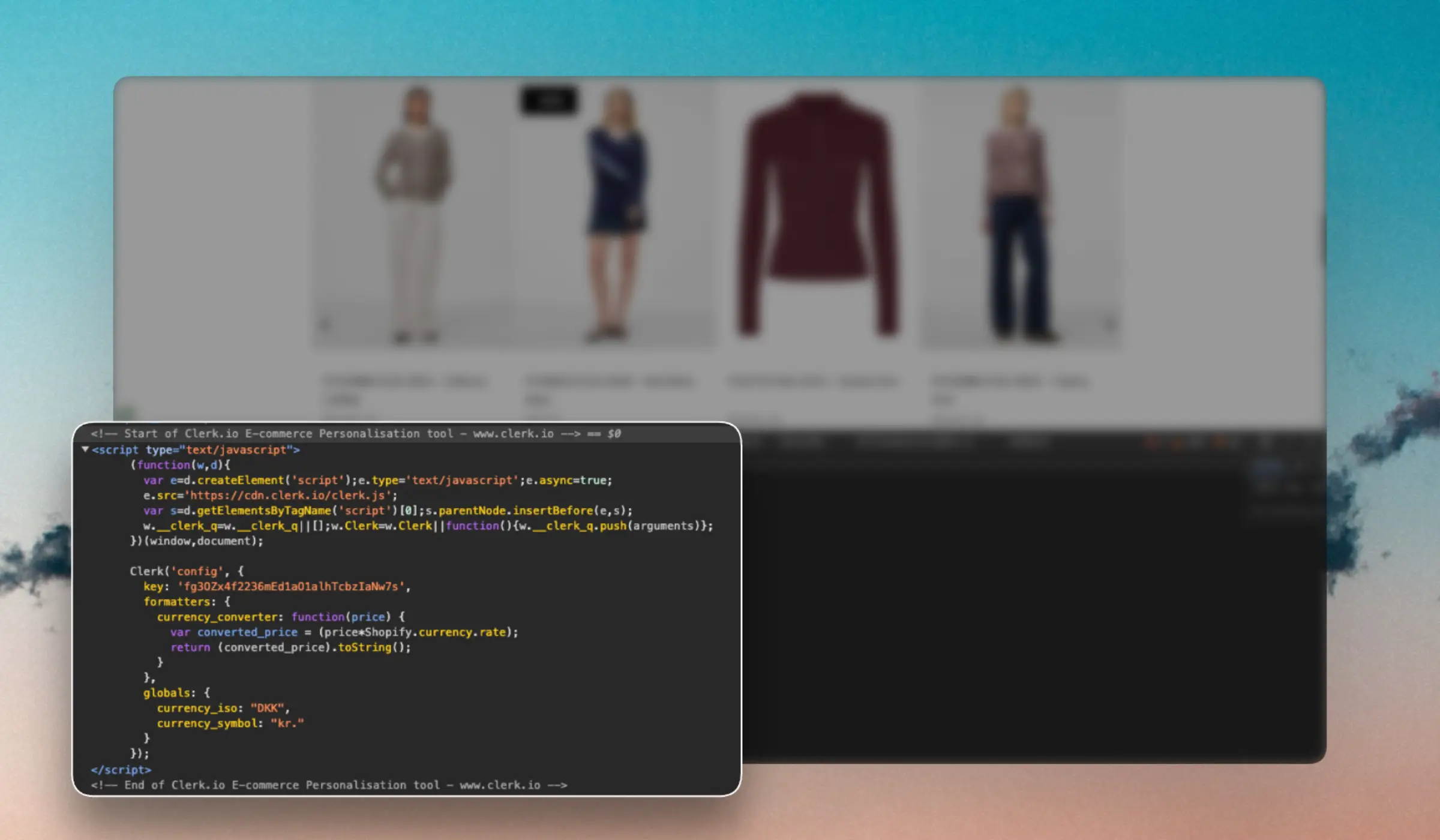
This guide explains how to install Clerk on a custom platform using
Clerk.js. This is the recommended approach as it takes care of much of the heavy lifting in terms of tracking and API calls.
Clerk.io integrates with your BigCommerce store through the BigCommerce integration. This integration enables seamless data synchronization between BigCommerce and Clerk.io.
Clerk.io integrates with your Dandomain Classic store through the Dandomain Classic App. This App enables seamless data synchronization between Dandomain Classic and Clerk.io.
Clerk.io integrates with your DanDomain store through the DanDomain API. This integration enables seamless data synchronization between DanDomain and Clerk.io.
Clerk.io integrates with your DynamicWeb store through the DynamicWeb SDK. This SDK includes the files for the REST API that enables seamless data synchronization between DynamicWeb and Clerk.io.
Clerk.io integrates with your JTL store through the plugin. This plugin enables seamless data synchronization between JTL and Clerk.io while allowing you to incorporate Clerk.io elements into your store effortlessly.
The installable plugin can be downloaded and installed by following the instructions in the
Get Started guide as well as the
documentation made by Solution 360.
The plugin supports JTL-Shop version 5.1 + (and the included libraries). For any other version, you can still implement Clerk.io by following the
Custom Integration guide. Check the
Solution 360 changelog for additional updates and information.
Clerk.io integrates with your Lightspeed store through the integration. This integration enables seamless data synchronization between Lightspeed and Clerk.io while allowing you to incorporate Clerk.io elements into your store effortlessly.