Configure your WooCommerce plugin settings, manage data sync options, and customize search, recommendations, and logging features. This guide covers all available settings and options.
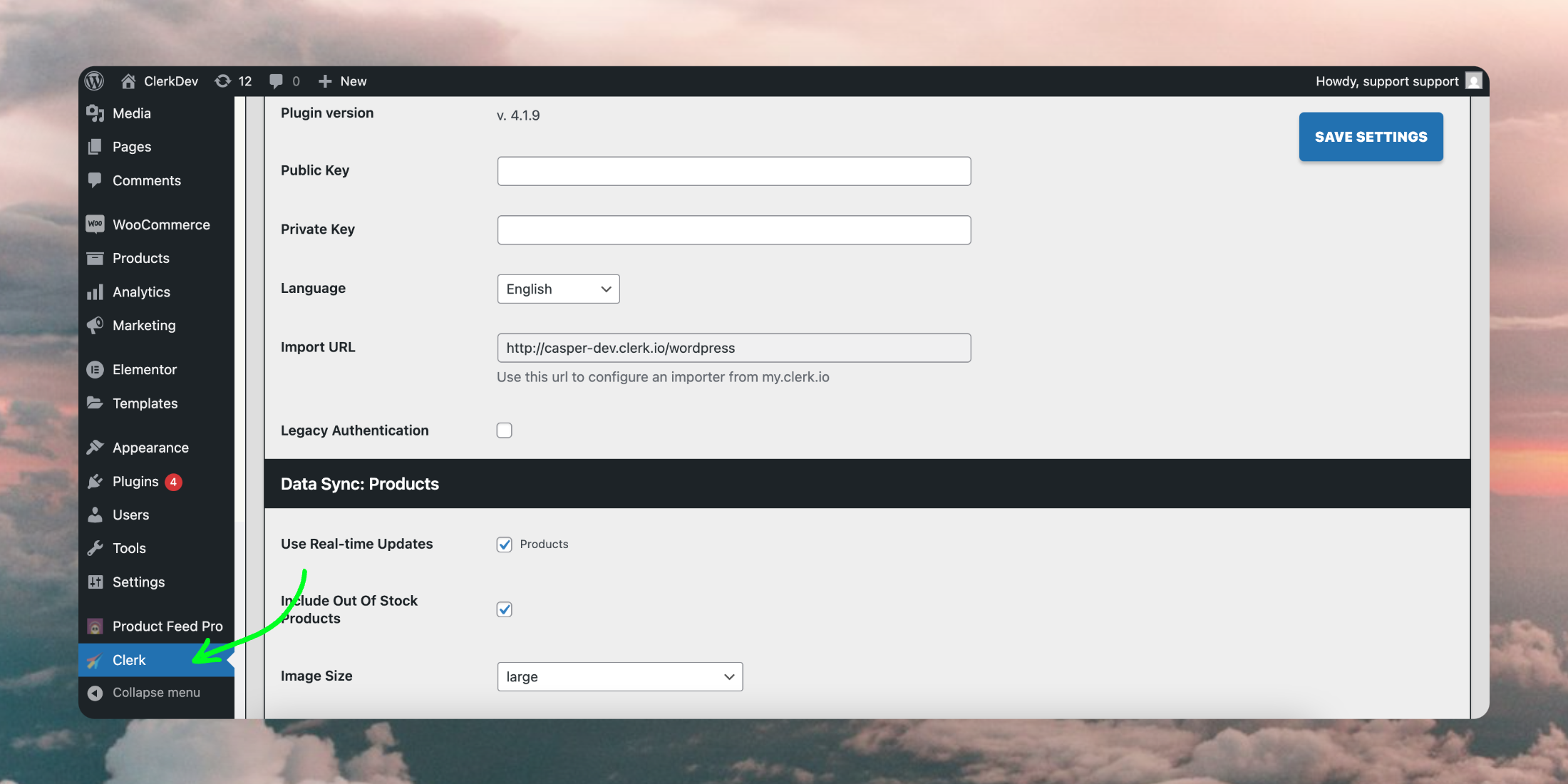
Once the plugin is successfully
installed in WooCommerce, it will appear in the side menu of your backend:
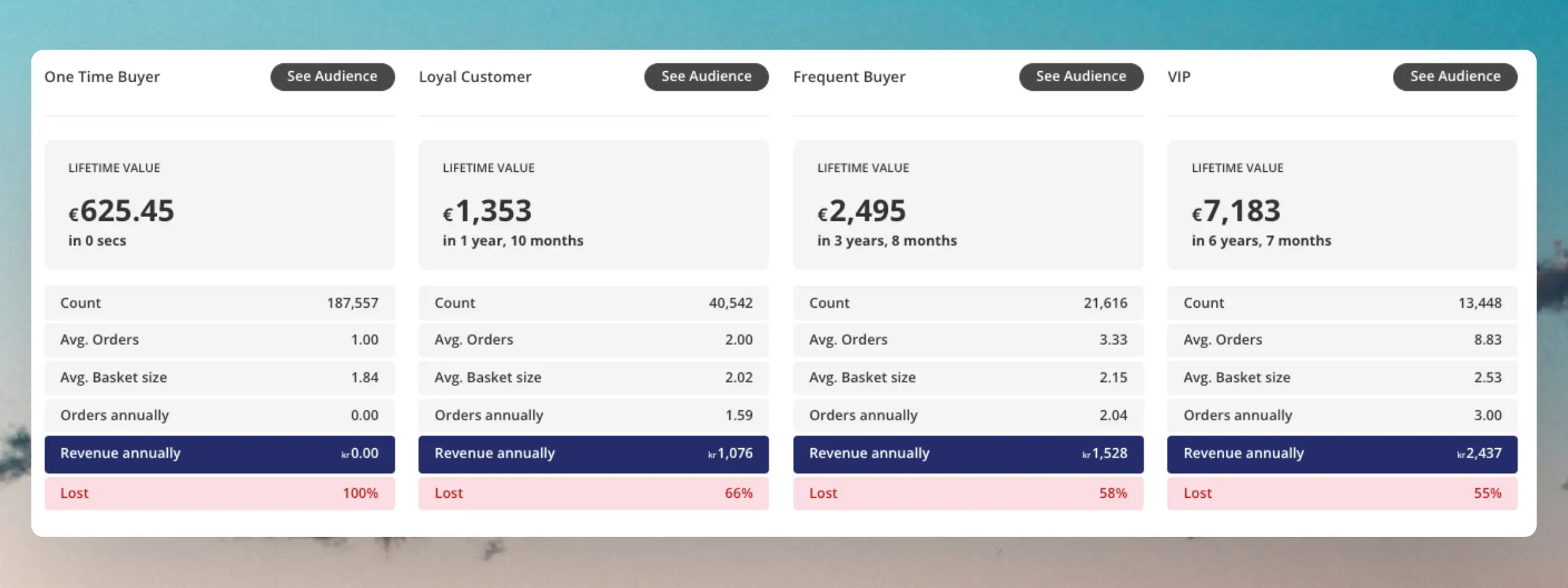
Clerk.io’s AI automatically segments your customers into Loyalty groups based on their purchase behavior. Their placement is primarily defined based on the number of orders and the total revenue they have spent.
These groups can be used to identify how important customers are to retain, and to focus your marketing efforts on the groups you gain most from.
Customers can move in and out of these groups depending on how your total customer base changes over time.
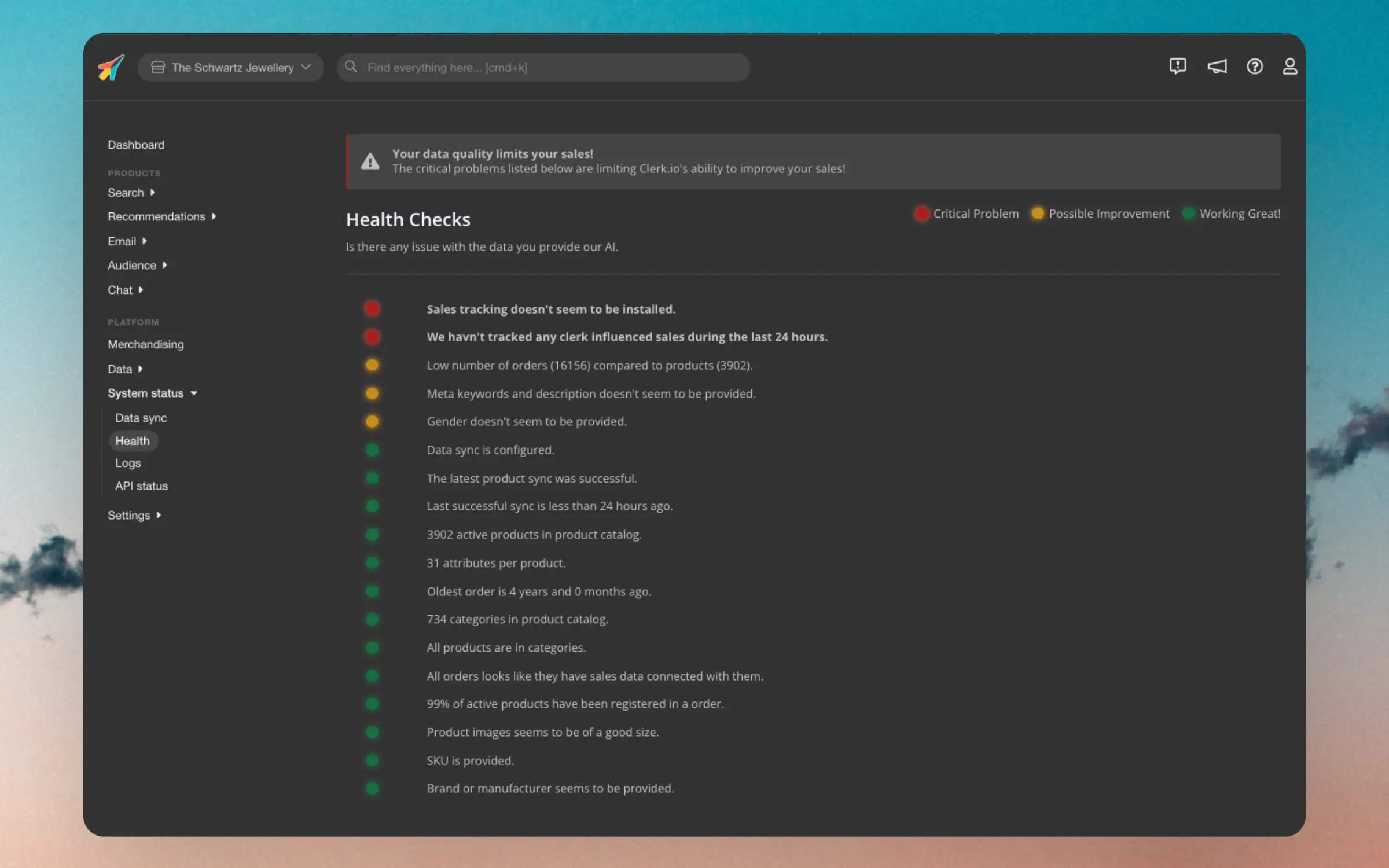
Sending high quality data to Clerk is essential for getting the best possible results. This dashboard is your one-stop page for monitoring the quality of your data.
Each points of the dashboard has one of 3 statuses:
Red: Critical for showing the right results.
Yellow: Could be improved for slightly better results.
Green: Works as expected.
If you see any issues marked with red, it’s highly advised to fix them as soon as possible, as otherwise you will lose out on valuabe sales through Clerk.
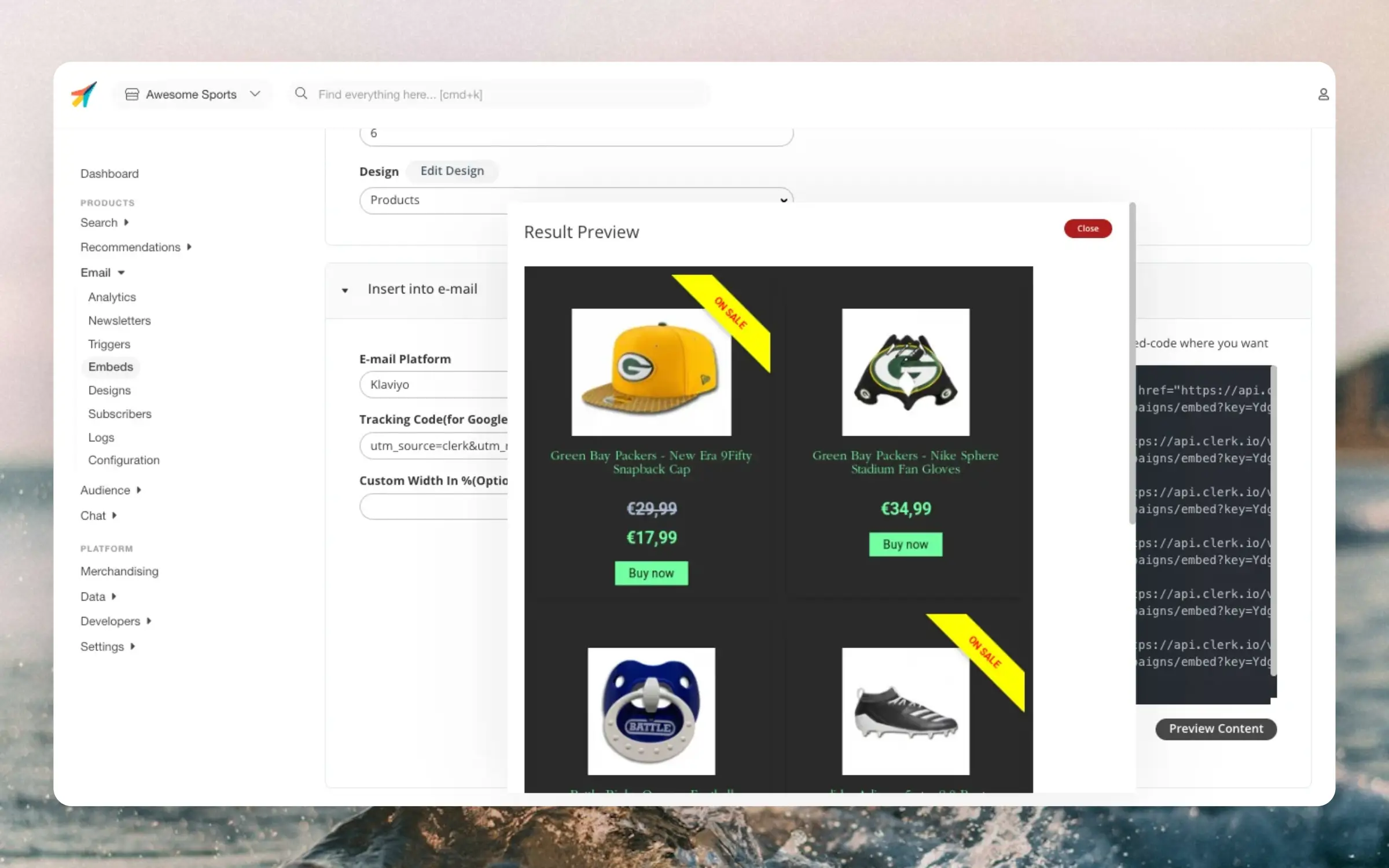
These are used to embed recommendations directly into any email within any email client. It is the easiest and most flexible way to improve existing email flows using Clerks AI.
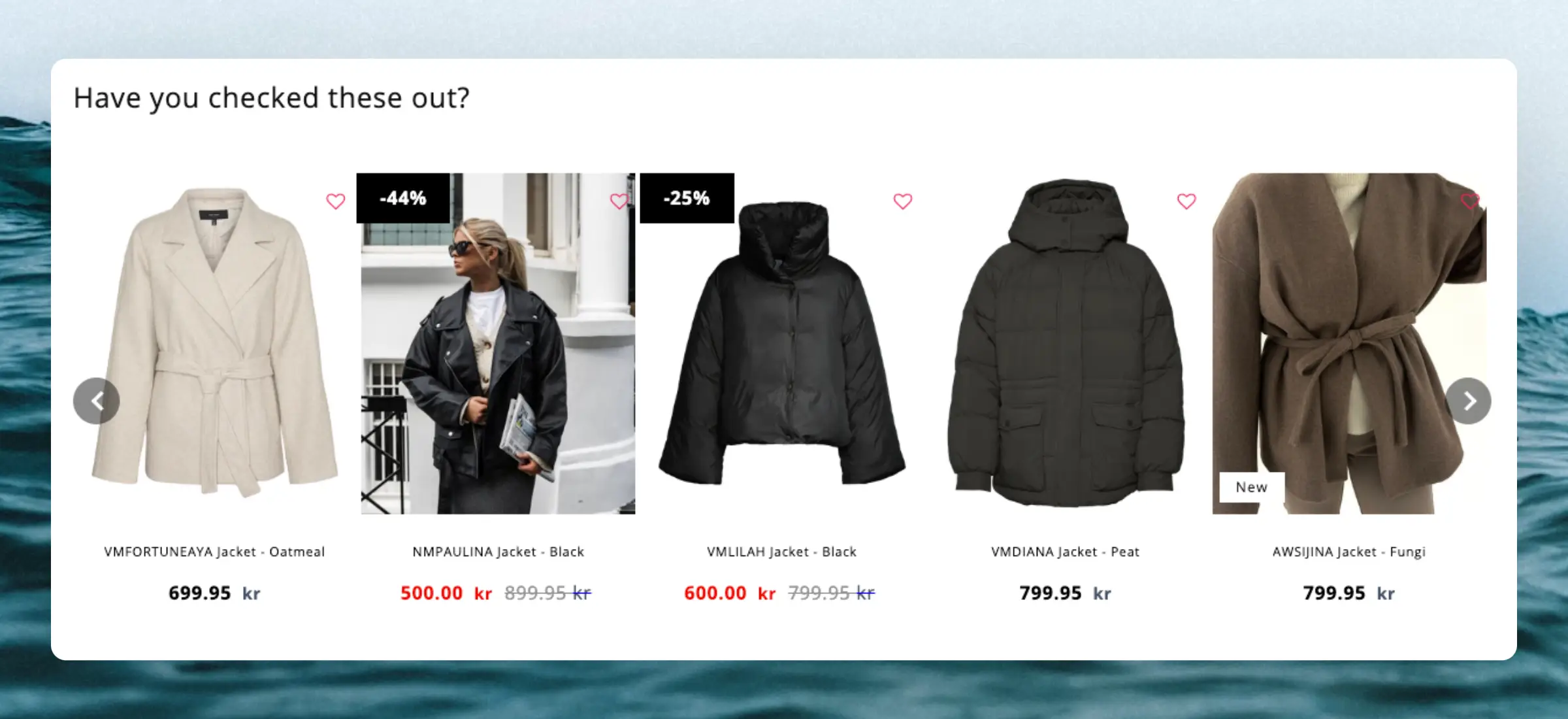
Clerk.js comes with a built-in function for showing products with sliders. This feature shows a row of products with a set of arrows, that lets customers navigate many products with just a few clicks.
It basically works by creating a long, horizontal list of products, and then showing a fixed “window” of products at a time, which is controlled with the buttons.
The slider functionality is coded to show an entire new row of products for each click, to show as many new products as possible with as few clicks as possible.
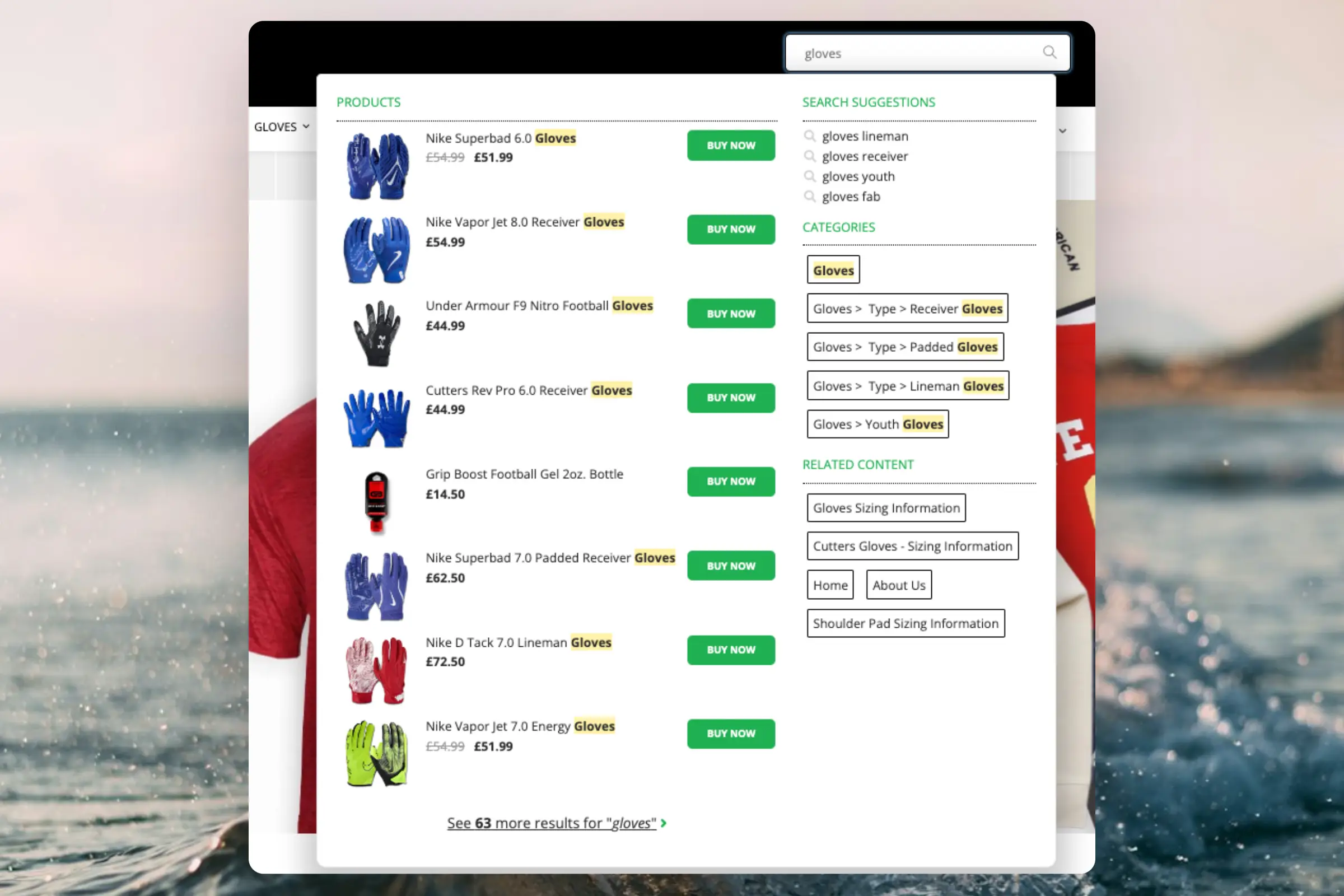
This dropdown allows your customers to browse and purchase products directly from your search bar. It combines the best features from modern search engines, with an eCommerce-specific twist:
Optimised for speed: Shows results in the blink of an eye while visitors are typing
Semantic search: Understands what the visitor means.
Auto-corrects spelling mistakes: The visitor should not realise that they made the spelling mistake in the first place.
Predicts customer behaviour: Matches are sorted based on how likely they are to sell right now.
These functions make searching your webshop from the search bar a seamless experience for the customer and opens up your catalogue in a different way.
These keys are used to access the data of your Store. They are found in my.clerk.io > Developers > API Keys.
They consist of a Public key, which gives access to endpoints exposing non-sensitive data, and a Private Key which allows you to work with data on the Store and access sensitive data, such as customer and order information.
As you probably know, email clients do not support the typical HTML/CSS/JS that run smoothly on all browsers.
For this reason, we use a workaround to produce our Email product recommendations dynamically.
We use a web template engine called Jinja and, through this, we can dynamically print all the product attributes and styles as plain images with links.
Clerk is fully GDPR compliant. This article explains everything you need to know about Clerk and GDPR, and how we make it easy for you to handle GDPR requests.
At
trust.clerk.io, you can review our privacy policy, subprocessors, data management, and much more. The page contains everything needed to understand how Clerk handles your data.