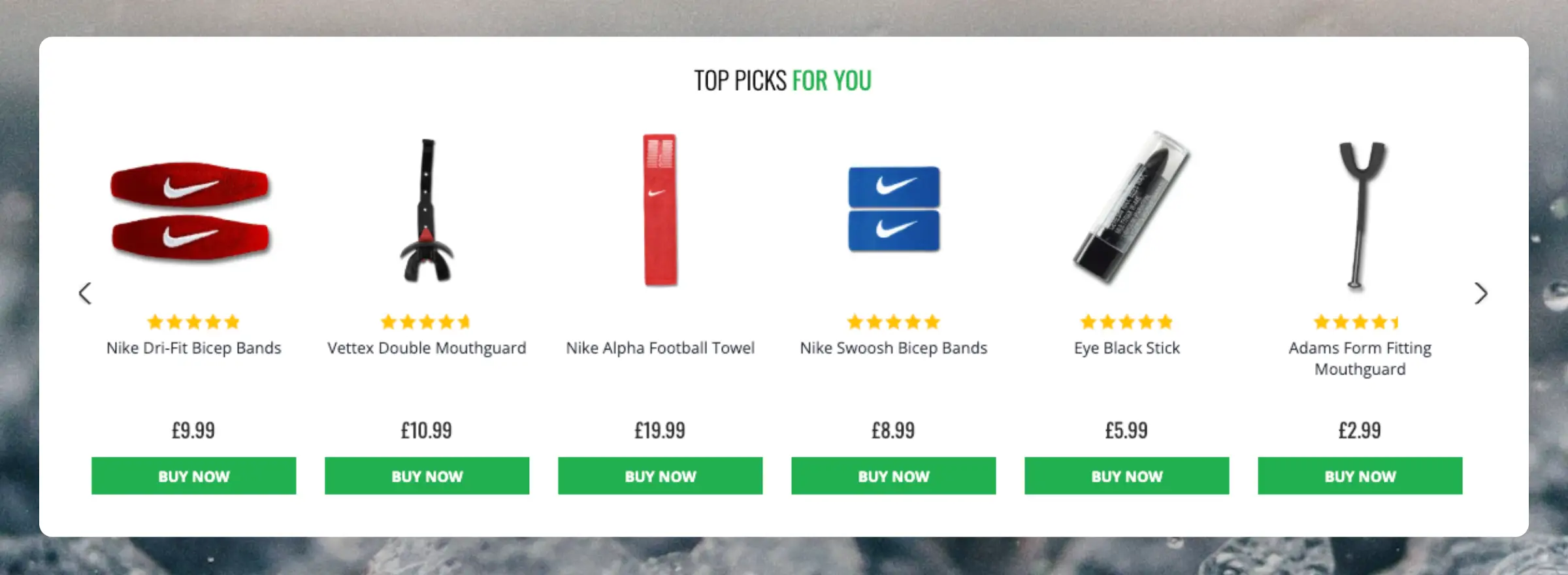
Clerk.io offers more than 23 different types of product logics, making it possible for you to display completely automated products on any page. This article explains how to get started when using a
Clerk.js setup in JTL.
For our full Best Practices, read
this article on which Recommendations to use.
Slider Setup
#
Recommendations are created with
Elements that reference a Design. Below is the basic guide for setting up an Element.
...Clerk.io offers more than 23 different types of product logics, making it possible for you to display completely automated products on any page. This article explains how to get started when using a
Clerk.js setup in Magento 1.
For our full Best Practices, read
this article on which Recommendations to use.
Slider Setup
#
Recommendations are created with
Elements that reference a Design. Below is the basic guide for setting up an Element.
...Clerk.io offers more than 23 different types of product logics, making it possible for you to display completely automated products on any page. This article explains how to get started when using a
Clerk.js setup in Magento 2.
For our full Best Practices, read
this article on which Recommendations to use.
Slider Setup
#
Recommendations are created with
Elements that reference a Design. Below is the basic guide for setting up an Element.
...Automate and personalise products on any page in Mystore. Clerk.io offers more than 23 different types of product logics, making it possible for you to display completely automated products on any page.
This article explains how to get started when using a
Clerk.js setup in Mystore.
For our full Best Practices, read
this article on which Recommendations to use.
Slider setup
#
Recommendations are created with
Elements that reference a Design. Below is the basic guide for setting up an Element.
...Clerk.io offers more than 20+ different types of product logics, making it possible to show completely automated products on any page. This article explains how to get started with Recommendations using the
PrestaShop module.
For our full best practices on which Recommendations to use, read
this article.
Slider Setup
#
Recommendations are created with
Elements that reference a Design. Below is the basic guide for setting up an Element.
Following the steps in my.clerk.io > Settings > Setup Guides will automatically create the Elements for our Best Practices.
Create Design
#
Recommendations are shown as a slider by default. This allows customers to see more products with fewer clicks. You can either use the
Design Editor to configure it visually, or use
code designs.
...Clerk.io offers more than 23 different types of product logics, making it possible to display completely automated products on any page. This article explains how to get started when using a
Clerk.js setup in ScanNet.
For our full Best Practices, read
this article on which Recommendations to use.
Slider Setup
#
Recommendations are created with
Elements that reference a Design. Below is the basic guide for setting up an Element.
Following the steps in my.clerk.io > Settings > Setup Guides will automatically create the Elements for our Best Practices.
Create Design
#
Recommendations are shown as a slider by default. This allows customers to see more products with fewer clicks. You can either use the
Design Editor to configure it visually, or use
code designs.
...Clerk.io offers more than 23 different types of product logics, making it possible for you to display completely automated products on any page. This article explains how to get started when using a
Clerk.js setup in Shopify.
For our full Best Practices, read
this article on which Recommendations to use.
Slider Setup
#
Recommendations are created with
Elements that reference a Design. Below is the basic guide for setting up an Element.
...Automate and personalise products on any page in Shoporama. Clerk.io offers more than 23 different types of product logics, making it possible for you to display completely automated products on any page.
This article explains how to get started when using a
Clerk.js setup in Shoporama.
For our full Best Practices, read
this article on which Recommendations to use.
Slider setup
#
Recommendations are created with
Elements that reference a Design. Below is the basic guide for setting up an Element.
...Clerk.io offers more than 23 different types of product logics, making it possible for you to display completely automated products on any page. This article explains how to get started when using a
Clerk.js setup in Shopware 6.
For our full Best Practices, read
this article on which Recommendations to use.
Slider Setup
#
Recommendations are created with
Elements that reference a Design. Below is the basic guide for setting up an Element.
...Clerk.io offers more than 23 different types of product logics, making it possible to display completely automated products on any page. This article explains how to get started when using a
Clerk.js setup in SmartWeb.
For our full Best Practices, read
this article on which Recommendations to use.
Slider Setup
#
Recommendations are created with
Elements that reference a Design. Below is the basic guide for setting up an Element.
Following the steps in my.clerk.io > Settings > Setup Guides will automatically create the Elements for our Best Practices.
Create Design
#
Recommendations are shown as a slider by default. This allows customers to see more products with fewer clicks. You can either use the
Design Editor to configure it visually, or use
code designs.
...