Overview
#
The Visitor Log lets you look up everything Clerk recorded for one visitor and is useful for debugging searches, recommendations, and page views. Each entry shows what was called, which inputs were used, what the API returned, and the context used to make the decision.
Where to find it
#
- Go to Data > Visitors in
my.clerk.io.
- Paste a Visitor ID and choose Search Visitor.
Get a Visitor ID
#
Use the Visitor ID endpoint to retrieve the ID for the browser you want to inspect:
...July 1, 2025
Overview
#
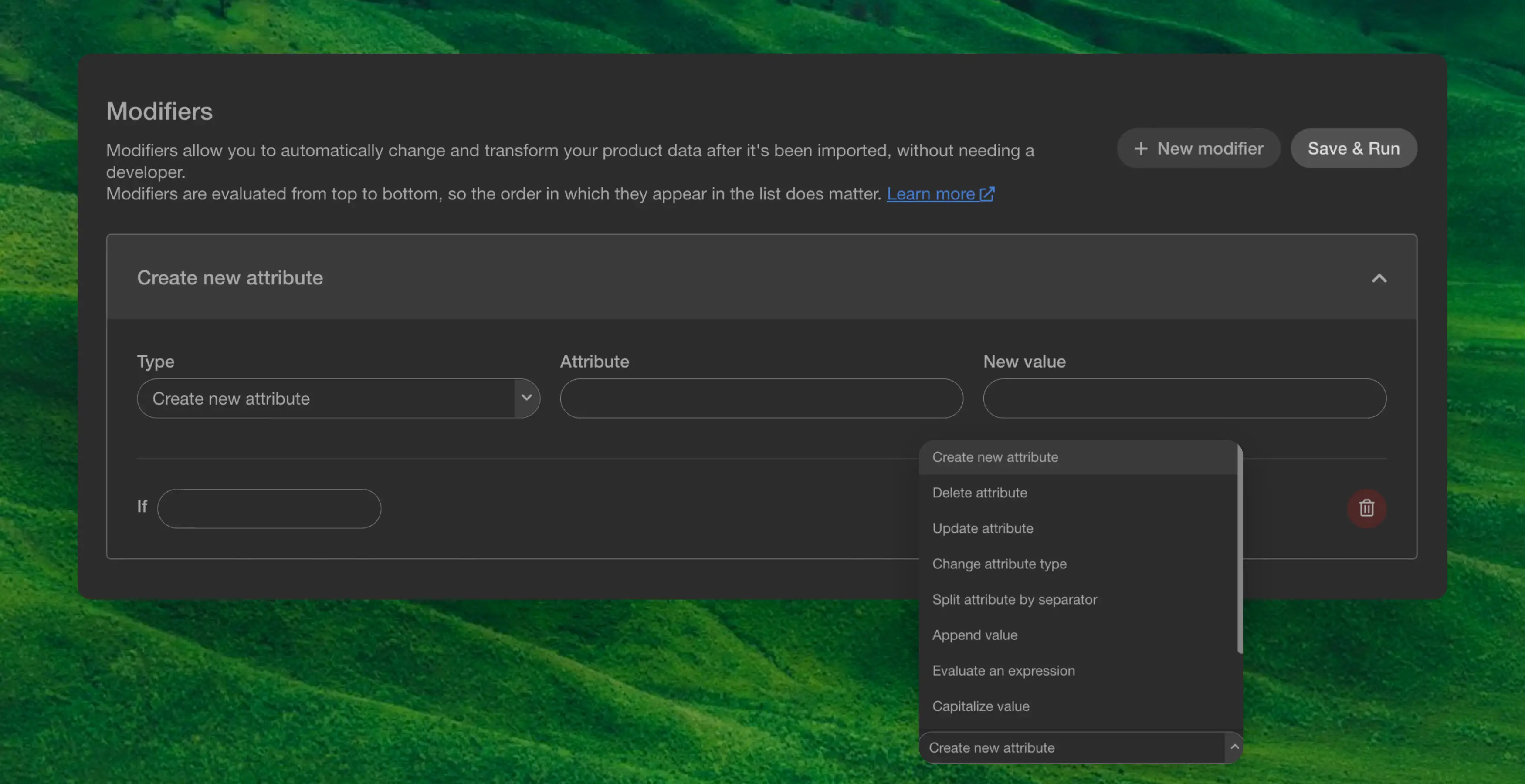
Modifiers is a powerful tool that allows you to change the product data after the sync without the need to get a developer to make changes in the data-feed.
Modifiers are evaluated from top to bottom, so the order in which they appear in the list does matter.
You have different types of modifiers, here is the complete list:
| Command | Effect |
|---|
Create new attribute | Adds an attribute to all products |
Delete attribute | Removes an attribute on all products |
Delete product | Removes the product entirely |
Update attribute | Update an attribute on all products |
Change attribute type | Changes the type of an attribute on all products |
Split attribute by separator | Split a string by separator, into a list of strings. |
Append value | Appends a value to an existing list attribute |
Evaluate an expression | Evaluates an expression in an attribute |
Capitalize value | Formats a string to title casing with first character uppercased |
Make value uppercase | Formats a string to all upper characters |
Make value lowercase | Formats a string to all lowercase characters |
Create formatted attribute | Formats a string in an attribute |
All commands have an if input field. The if can be added to anything with a statement, and the command will only be run on the attribute if the statement evaluates to true.
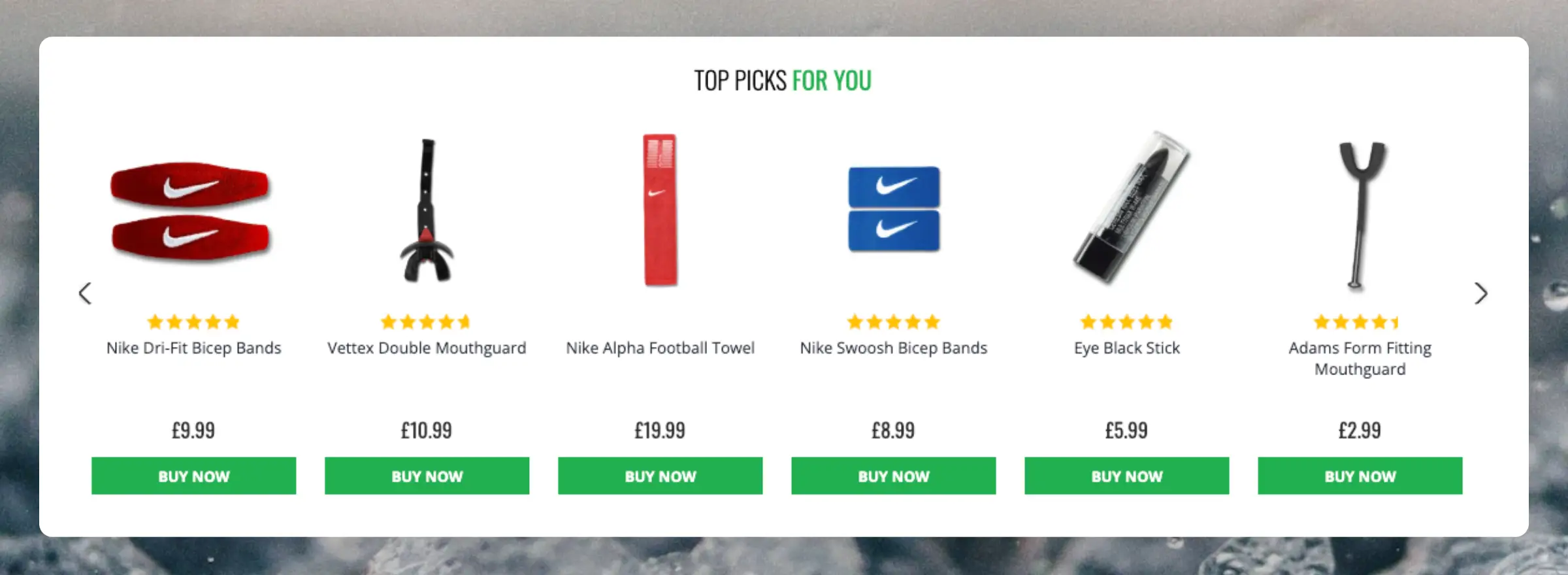
...Clerk.io offers more than 23 different types of product logics, making it possible for you to display completely automated products on any page. This article explains how to get started when using a
Clerk.js setup.
For our full Best Practices, read
this article on which Recommendations to use.
Slider Setup
#
Recommendations are created with
Elements that reference a Design. Below is the basic guide for setting up an Element.
...Basics
#
Most of Clerk.io’s Audience features revolve around predicting customer behavior. However, for some marketing purposes, a more simple approach may be needed.
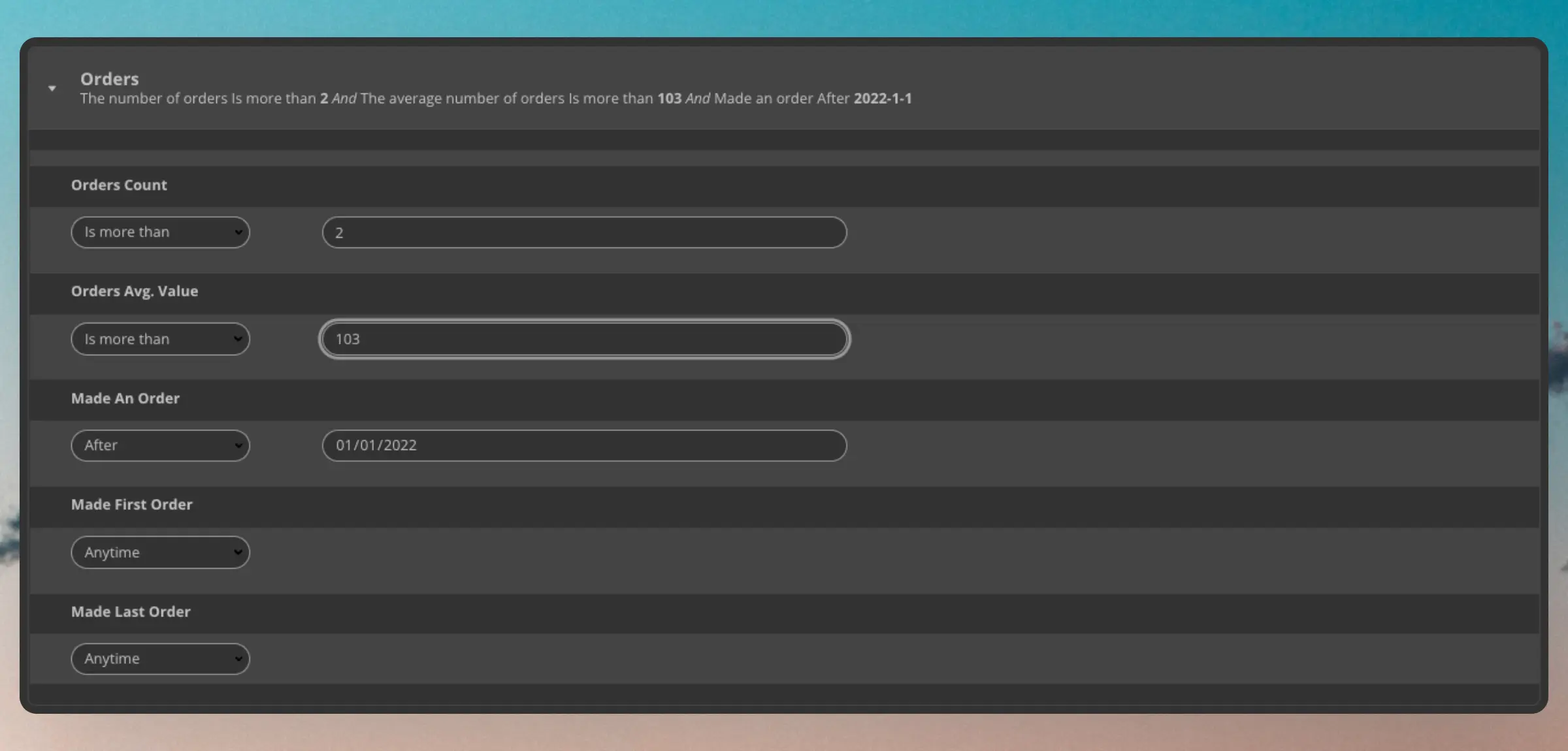
Order Segmentation is just that; a way to create segments based solely on the amount of orders, their timing, and average order value.
Order Options
#
You can segment based on either one or multiple different options for orders.
Orders Count
#
Segments are based on a specific amount of orders. You can choose either an exact amount, less than, or more than a given amount. This can be useful if you want to define your own Loyalty groups based on the amount of orders.
...Basics
#
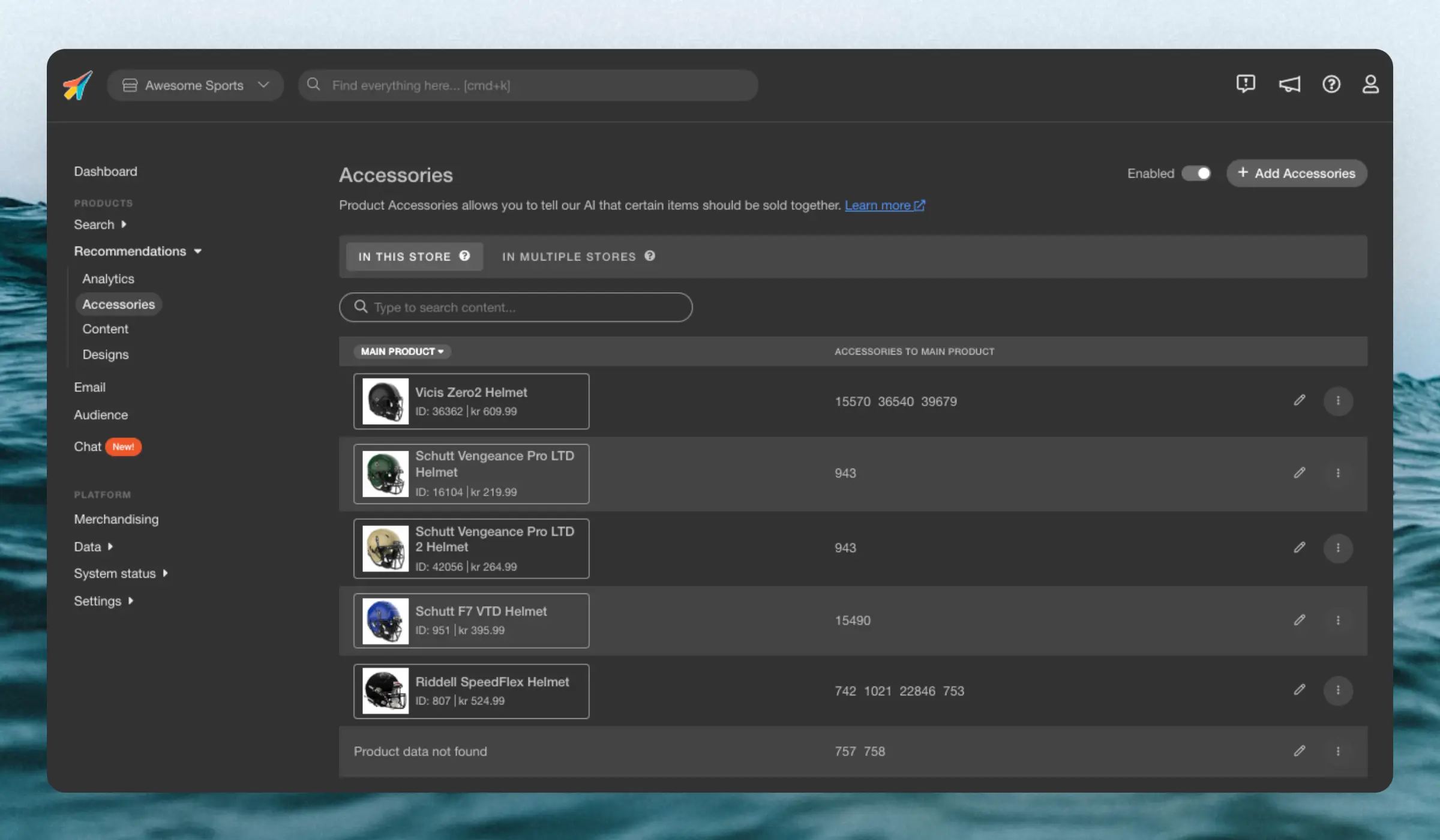
Accesories lets you pre-define products that should always be shown first in your Best Cross-Sell banners. They are created for individual main products, and any products you add, will be pushed to to the top of Best Cross-Sell results, when customers view that main product.
You can add as many accessory products as you want for each main product.
They are best used when you have very specfific use-cases for single products like:
...Synonyms allow you to associate words or phrases so they are considered equivalent.
This is important if you notice in
Search Analytics that visitors are searching for products you have but using words not present in your product texts.
Synonyms do not replace results or change their ranking—they simply tell Clerk that one or more words are equivalent when finding results.
Uni-Directional
#
Only show results in one direction and are typically used to include a set of products that would otherwise not be shown.
...Running into issues with your BigCommerce integration? This FAQ covers the most common problems and their solutions, from customer group prices to formatters.
Clerk.js allows you to write custom JavaScript functions that add new functionality to your Designs.
Formatters can be added in two ways:
Through my.clerk.io > Developers > Formatters, where each Formatter can be created as separate entries.
As a configuration for Clerk.js, in the tracking-script that is inserted on all pages, where multiple formatters can be added at once.
...
Running into issues with your Dandomain Classic integration? This FAQ covers the most common problems and their solutions, from HTTP authentication to sync errors.
HTTP authentication
#
HTTP authentication is often used on staging sites to avoid unwanted visitors.
This will block the Clerk importer and display a 401 Unauthorized error in the sync log.
You can fix this by inserting the authentication info in the import URL.
In my.clerk.io > Data > Configuration, update your import URL like this:
...Running into issues with your JTL integration? This FAQ covers the most common problems and their solutions, from sync errors to missing products.
Common sync errors
#
When importing data with the JTL plugin, your webshop’s generated feed is responsible for sending product, category, and sales data to Clerk.
However, in some cases, the feed’s configuration might stop the Importer from getting access, causing an error in Data Sync.
...