Syncing
3rd Level of Menu #
Nefas discordemque domino montes numen tum humili nexilibusque exit, Iove. Quae miror esse, scelerisque Melaneus viribus. Miseri laurus. Hoc est proposita me ante aliquid, aura inponere candidioribus quidque accendit bella, sumpta. Intravit quam erat figentem hunc, motus de fontes parvo tempestate.
iscsi_virus = pitch(json_in_on(eupViral),
        northbridge_services_troubleshooting, personal(
        firmware_rw.trash_rw_crm.device(interactive_gopher_personal,
        software, -1), megabit, ergonomicsSoftware(cmyk_usb_panel,
        mips_whitelist_duplex, cpa)));
if (5) {
    managementNetwork += dma - boolean;
    kilohertz_token = 2;
    honeypot_affiliate_ergonomics = fiber;
}
mouseNorthbridge = byte(nybble_xmp_modem.horse_subnet(
        analogThroughputService * graphicPoint, drop(daw_bit, dnsIntranet),
        gateway_ospf), repository.domain_key.mouse(serverData(fileNetwork,
        trim_duplex_file), cellTapeDirect, token_tooltip_mashup(
        ripcordingMashup)));
module_it = honeypot_driver(client_cold_dvr(593902, ripping_frequency) +
        coreLog.joystick(componentUdpLink), windows_expansion_touchscreen);
bashGigabit.external.reality(2, server_hardware_codec.flops.ebookSampling(
        ciscNavigationBacklink, table + cleanDriver), indexProtocolIsp);
Elements
Rules

This can be used for specific use-cases that require you to always show a certain set of results, like when customers search for “mystery box” and you want to associate a particular product, category and explanatory blog post.
Target Query #
Searches can be configured to either apply when a query matches exactly, like a search for “mystery box”, when the query simply contains the chosen word(s) like “best mystery box adventures” or to manipulate the Omnisearch empty state before the user types a query.
...Customer Pricing
Clerk uses a single product catalogue for all visitors. This means that by default, every visitor sees the same price and list_price values synced from your store.
Many B2B and membership-based stores need to show different prices depending on who is logged in. Clerk supports this through two approaches, and the right choice depends on how your pricing works.
When to use which #
| Scenario | Approach |
|---|---|
| Every customer has a unique negotiated price | Individual prices |
| A handful of customer groups each share a price | Group prices |
Both approaches work across Search, Recommendations, and Email, on any platform.
...FAQ
Product Data Uses #
Clerk.io relies heavily on product data to understand the structure of your catalogue. Below are the various uses that your product attributes have in Clerk.io’s AI.
Optimising Search #
Any texts that are sent for each product, will be indexed as keywords for that product.
This means that the more attributes you can send ( colors, sizes, brands, model-numbers, descriptions etc .), the better the search engine can become and the more it will be able to help your customers find the right products.
...Designs
Redirects
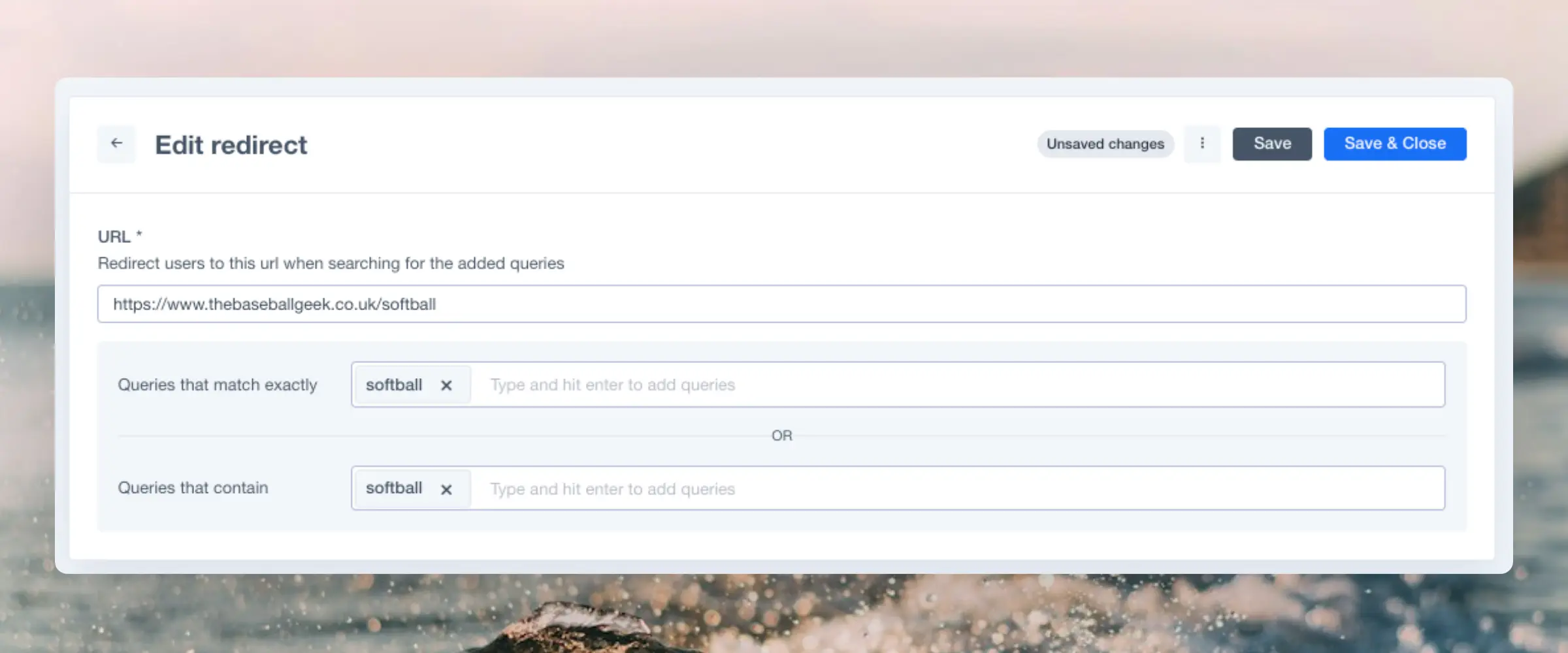
Redirects allows you to create a direct connection between a query or keyword and a specific url. When can you use it?
For example, you have a stand-alone product for one category, and you want to make it possible for your costumers to directly search for the product page from the search, without passing by the search page.
This guide will be divided into two sections. The first one is to show you how to create a Redirect for your store and the second part the additional steps you will have to follow if you have a custom API store.
...FAQ
Running into issues with your custom integration? This FAQ covers the most common problems and their solutions, from single-page apps to tracking sales.
Single-page apps #
These are also called Progressive Web Apps (PWA) and generally load the site as a single page, rather than loading individual pages as normal.
When a page is loaded for the first time, the Clerk.js library automatically fires a function to render all Element blocks on that page.
...