Rules

This can be used for specific use-cases that require you to always show a certain set of results, like when customers search for “mystery box” and you want to associate a particular product, category and explanatory blog post.
Target Query #
Searches can be configured to either apply when a query matches exactly, like a search for “mystery box”, when the query simply contains the chosen word(s) like “best mystery box adventures” or to manipulate the Omnisearch empty state before the user types a query.
...Customer Pricing
Clerk uses a single product catalogue for all visitors. This means that by default, every visitor sees the same price and list_price values synced from your store.
Many B2B and membership-based stores need to show different prices depending on who is logged in. Clerk supports this through two approaches, and the right choice depends on how your pricing works.
When to use which #
| Scenario | Approach |
|---|---|
| Every customer has a unique negotiated price | Individual prices |
| A handful of customer groups each share a price | Group prices |
Both approaches work across Search, Recommendations, and Email, on any platform.
...Media Library

The Media Library lets you upload images to Clerk.io’s servers so they can be referenced directly inside your email designs and templates.
This is useful when you want to include static visuals — a banner, a logo, a seasonal header — inside an email campaign or flow without relying on an external image host.
Uploading Images #
Go to Data > Media Library and click Upload image. Select the image file from your computer and it will be uploaded and stored by Clerk.io.
...Subscribers
Basics #
Clerk.io supports hosting your subscribers, as well as creating lists of recipients for various email campaign purposes.
A subscriber is an email address with the attribute subscribed: true, which allows Clerk.io to send email marketing to them.
Managing Subscribers #
Like with other email providers, Clerk.io allows you to track your subscribers and create lists of recipients for various email campaign purposes.
Subscribing #
Recipients are subscribed globally, allowing them to receive email marketing from all Clerk Campaigns you set up.
...Designs
Redirects
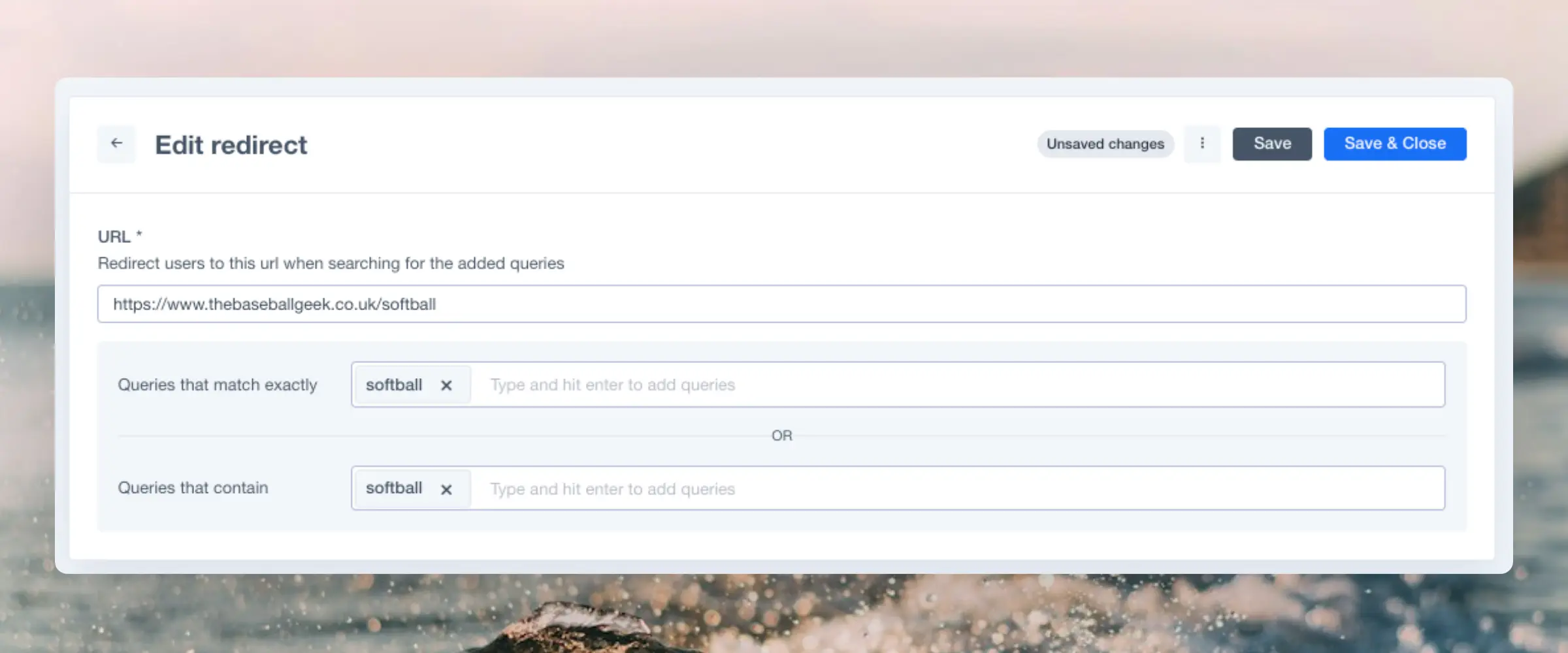
Redirects allows you to create a direct connection between a query or keyword and a specific url. When can you use it?
For example, you have a stand-alone product for one category, and you want to make it possible for your costumers to directly search for the product page from the search, without passing by the search page.
This guide will be divided into two sections. The first one is to show you how to create a Redirect for your store and the second part the additional steps you will have to follow if you have a custom API store.
...FAQ
Product Data Uses #
Clerk.io relies heavily on product data to understand the structure of your catalogue. Below are the various uses that your product attributes have in Clerk.io’s AI.
Optimising Search #
Any texts that are sent for each product, will be indexed as keywords for that product.
This means that the more attributes you can send ( colors, sizes, brands, model-numbers, descriptions etc .), the better the search engine can become and the more it will be able to help your customers find the right products.
...Tracking
Sales tracking is the link between what Clerk shows visitors and the orders they place. Without it, Clerk cannot learn from real purchases, personalise recommendations, or show accurate revenue attribution in the dashboard.
This article explains how tracking works at the API level, how to set it up, and how to debug it when orders are not being registered correctly.
How It Works #
Every tracked order in Clerk goes through a chain of three connected pieces.
...