Ask Clerk.io
Your AI advisor for growing a profitable eCommerce business.
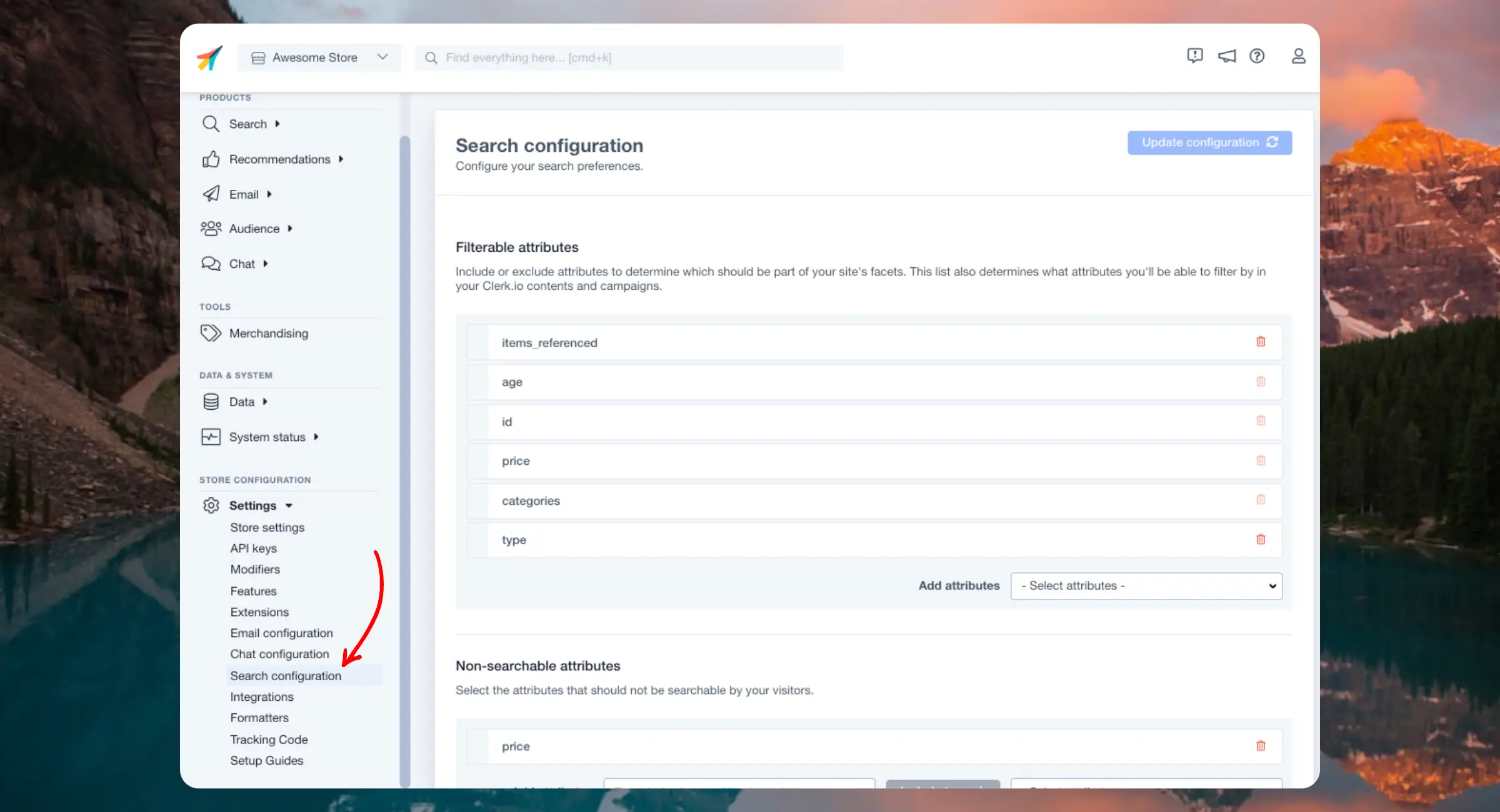
Search comes with several settings that allow you to adjust its behavior.
When you change a setting, it triggers an analysis of your data that must complete before changes take effect.
This process can take up to 15 minutes but may be faster depending on the size of your catalogue. You can monitor the status in Data > Configuration.
The settings require Search 3.0 to be enabled. Afterwards, you can access them in Search > Configuration.
...When a Clerk.io Recommendation is added to a category page that contains a low amount of products, it will show the same products on the page.
To avoid this, you can hide the Recommendation on category pages, by adding an if statement to the Recommendation design code.
Change the number in the if statement to the minimum amount of products needed to show the Recommendation.
{% if products.length > 7 %}

 <!-- Recommendation code -->

{% endif %}
E.g.:
...Moving your webshop from one platform to another — say, Magento 2 to Shopify, or WooCommerce to BigCommerce — involves more than just reinstalling the Clerk.io extension.
Your product IDs will likely change. Your sync method needs switching. Your designs may reference platform-specific attribute names. And your historical order data needs to carry over to keep the AI performing from day one.
This guide walks through each step.
Before touching anything in Clerk.io, answer these two questions:
...Running into issues with your custom integration? This FAQ covers the most common problems and their solutions, from single-page apps to tracking sales.
These are also called Progressive Web Apps (PWA) and generally load the site as a single page, rather than loading individual pages as normal.
When a page is loaded for the first time, the Clerk.js library automatically fires a function to render all Element blocks on that page.
...This code is meant to be a starting point that can be tailored to your needs.
Many browsers support voice search natively, making it fairly straightforward for developers to implement into Clerk.io’s search features.
Below is an example script that can be used to transcribe text using a microphone. Specifically, it will insert text into Clerk.io’s Omnisearch input field.
It adds a button that, when clicked, triggers the browser’s voice recognition API and inserts the text into the input field.
...Here you can find everything you need to know about Clerk’s products and features.






Add product recommendations to your Act-On email campaigns. This guide walks you through creating email designs, setting up embeds, and inserting recommendations into your templates.
Before you start!
Make sure that you have made the initial integration on the webshop so that Clerk is synced with your product catalog and order history.
The first thing you have to do is create a Design for your emails.
...