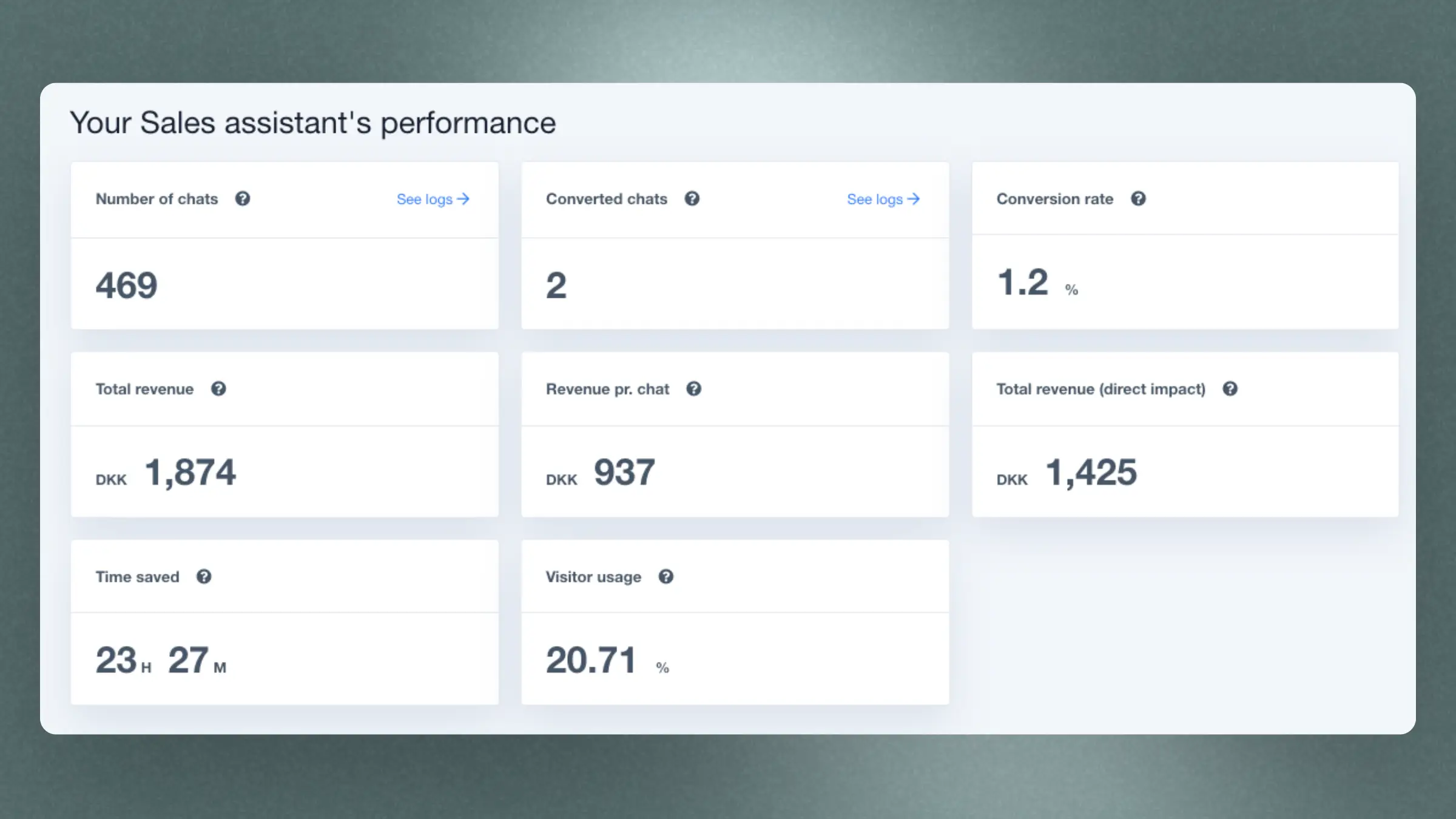
This section shows gives you a broad overview of how many visitors use Chat, how much estimated time you save compared to manual support and how much revenue you generate.
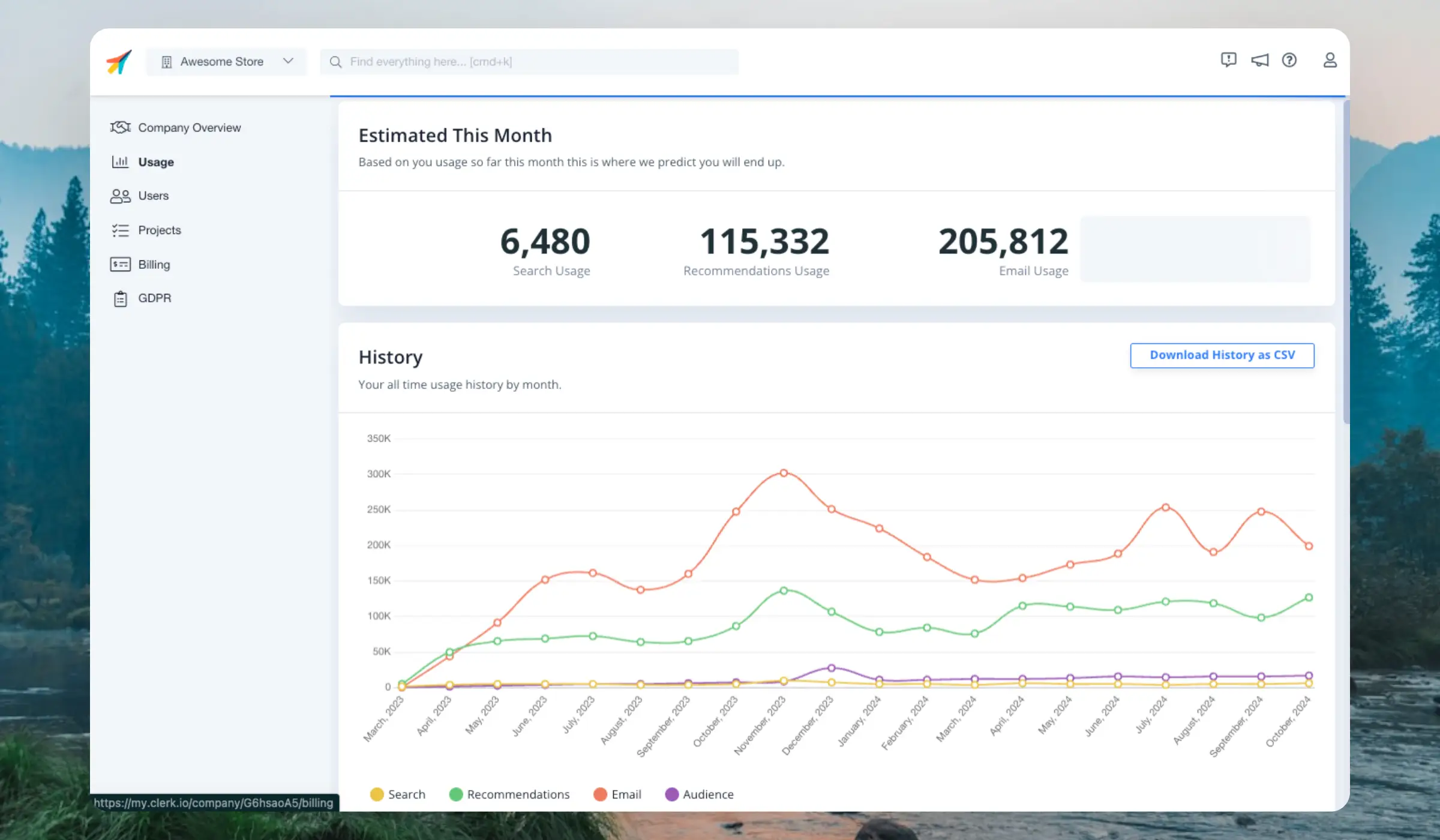
On the Usage page you can see your full usage history for each Clerk product and the estimated usage for the coming month.
Navigate to the Usage page by clicking the Store dropdown in the upper left corner and then COMPANY NAME > Usage, or simply by searching for Usage in the top of the page.
Fairness is important to us, so we only count usage when we successfully deliver results back. If a search, recommendation or email returns no results, no usage is counted.
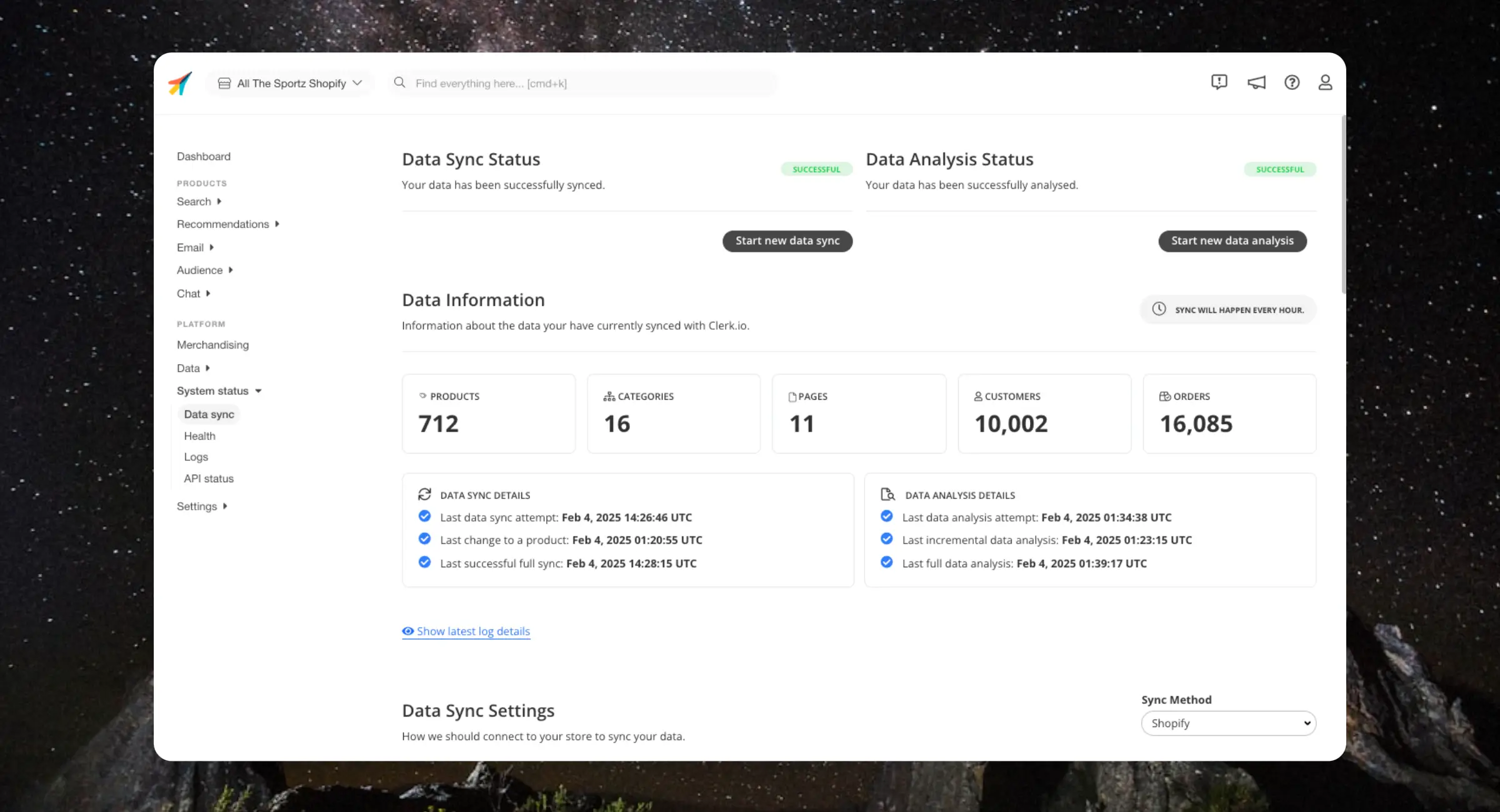
This section provides quick insights into the state of your sync:
The number of products, categories, pages, orders, and customers that have been imported
Timestamps for when a sync or analysis was last attempted and completed
Timestamps for when a sync or analysis last registered a change to a product
The Sync Details relate to when Clerk last fetched data from the webshop, while the Analysis Details relate to when Clerk last processed and saved the data.
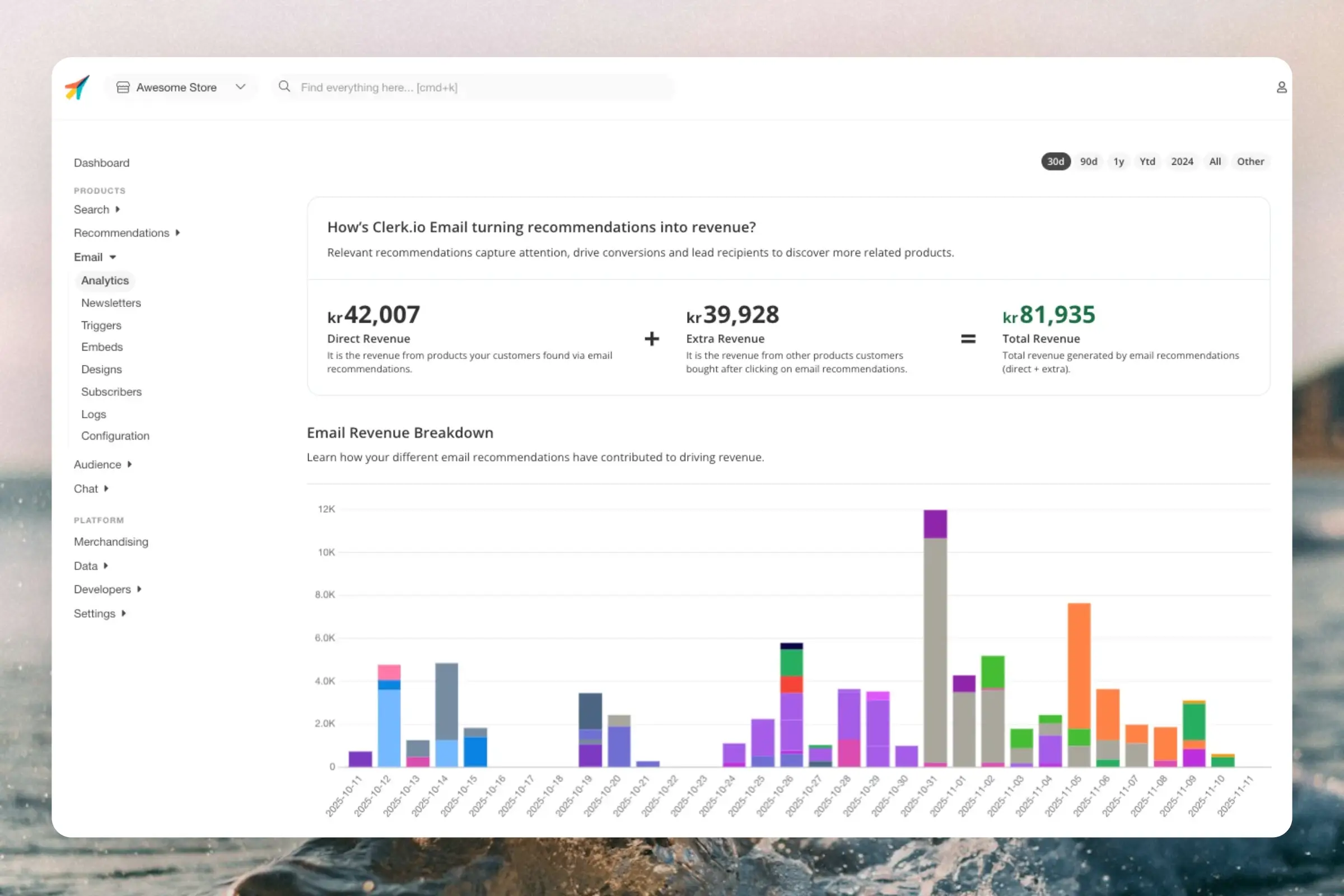
This dashboard gives you a thorough overview of how your recipients use your Clerk-enhanced emails, both in terms of what works and what needs to be improved.
By default, the dashboard shows the performance over the last 30 days, but this can be customised with the date-range selector in the top right corner.
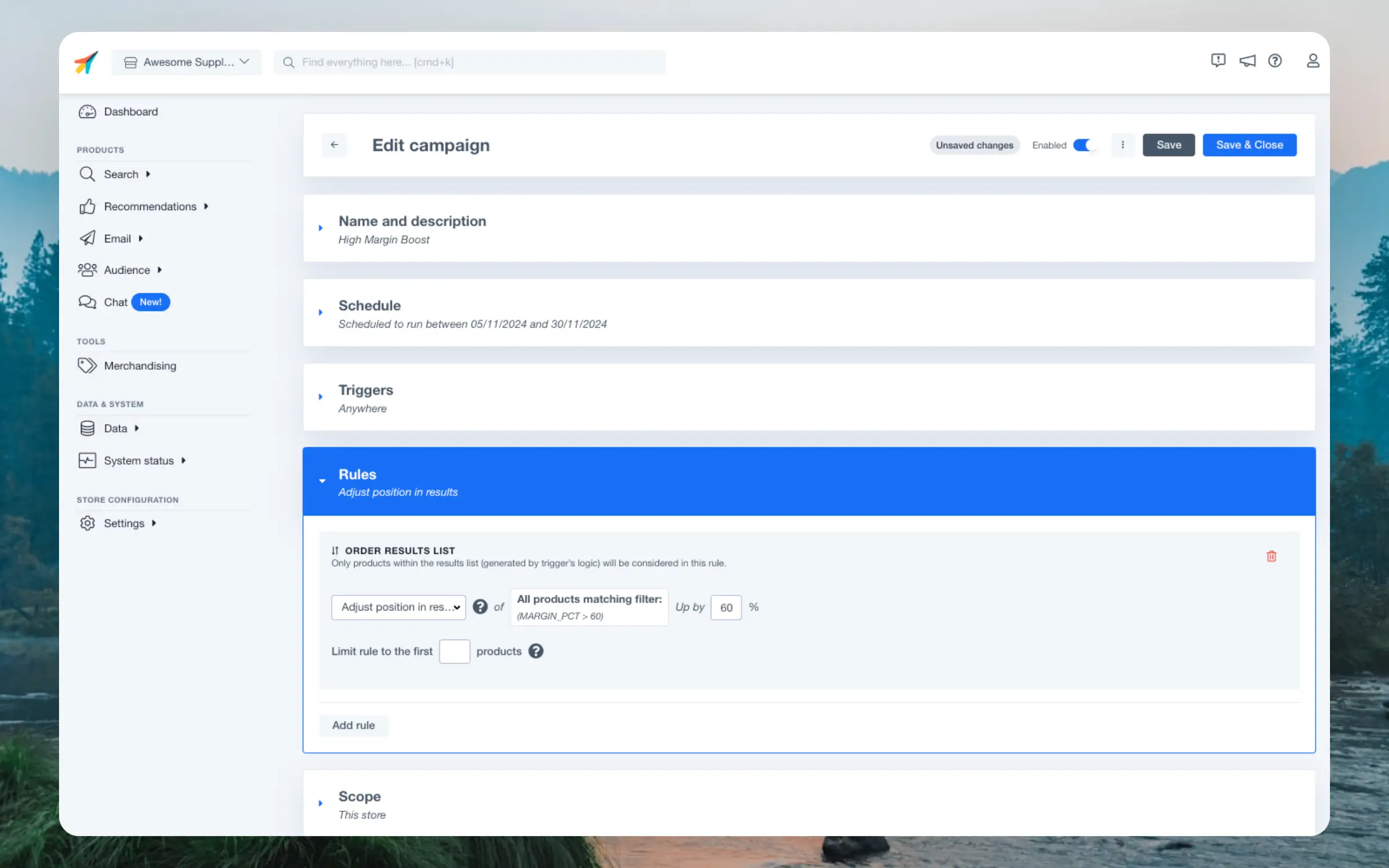
Merchandising gives you a high degree of control over the products shown by Clerk, like boosting products on sale, prioritising specific brands, hiding out-of-stock products and much more.
Campaigns always have a Name of your choice. Optionally, you can add a Description for reminding yourself and your colleagues of the campaigns purpose.
Decide whether a campaign should run indefinetely or during a specific timeframe. Scheduling is particularly useful if you only want to influence results during a period like the week of Black Friday or during your Christmas sales.
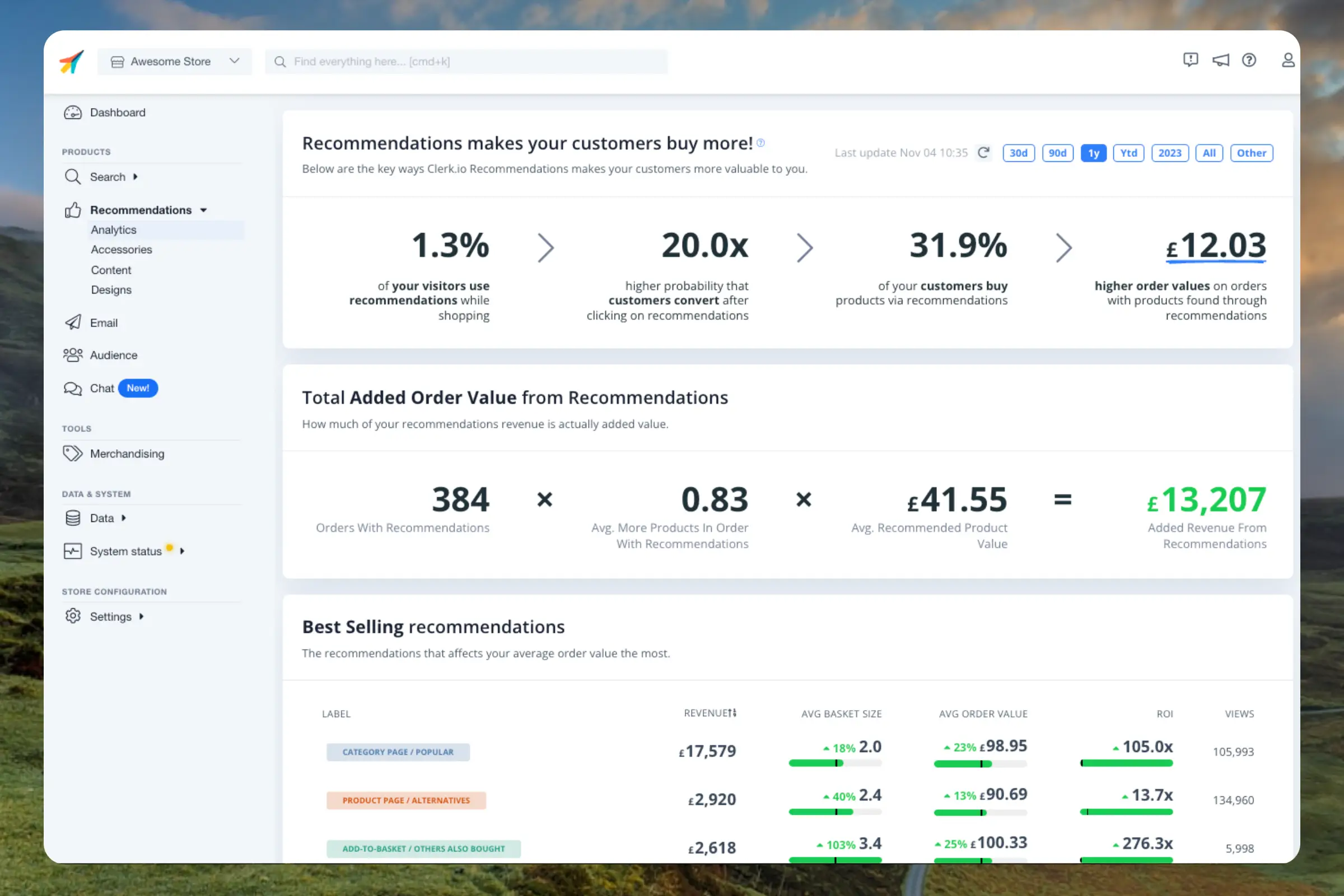
By default, the dashboard shows the performance over the last 30 days, but this can be customised with the date-range selector in the top right corner.
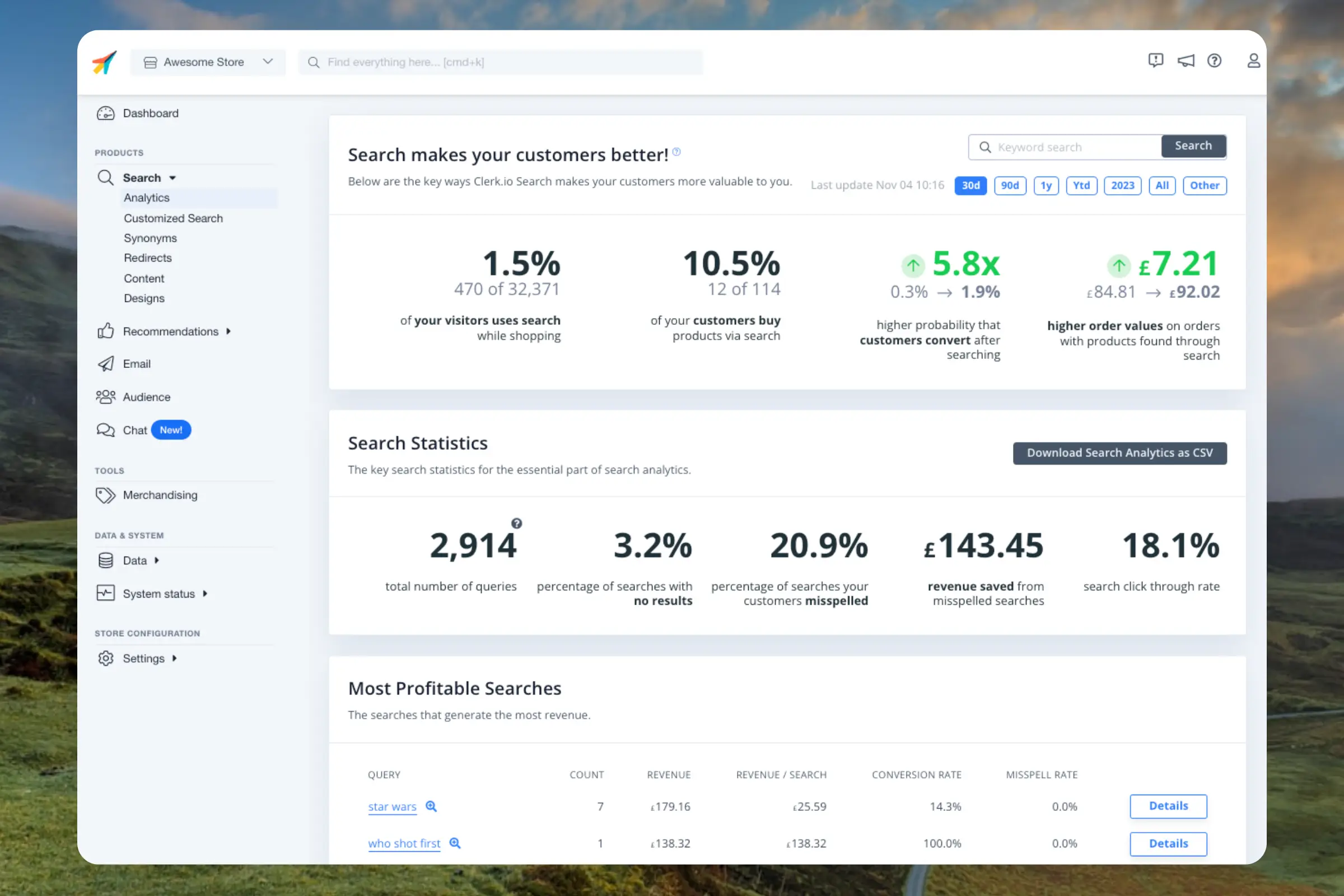
This dashboard gives you a thorough overview of how your visitors are searching, both in terms of what works and what needs to be improved. It’s your one-stop page for understanding your visitors search behaviour.
By default, the dashboard shows the performance over the last 30 days, but this can be customised with the date-range selector in the top right corner.