Vtex
Sync Data
Learn how to sync and customize data from your VTEX store
Sync your VTEX products, categories, and orders to Clerk. This guide covers setting up data synchronization.
Before syncing data, make sure you have installed and configured the ClerkIO Integration module in your VTEX account. See the Get Started guide for installation instructions.
Set up Sync #
After configuring the module, you simply need to synchronise your store.
- Go to my.clerk.io Data -> Configuration -> Once prompted to insert the url, insert the following URL format: https://{{accountName}}.myvtex.com/_v/integration-vtex/clerk-feed/{{bindingId}} and click on save in the bottom left of the page.
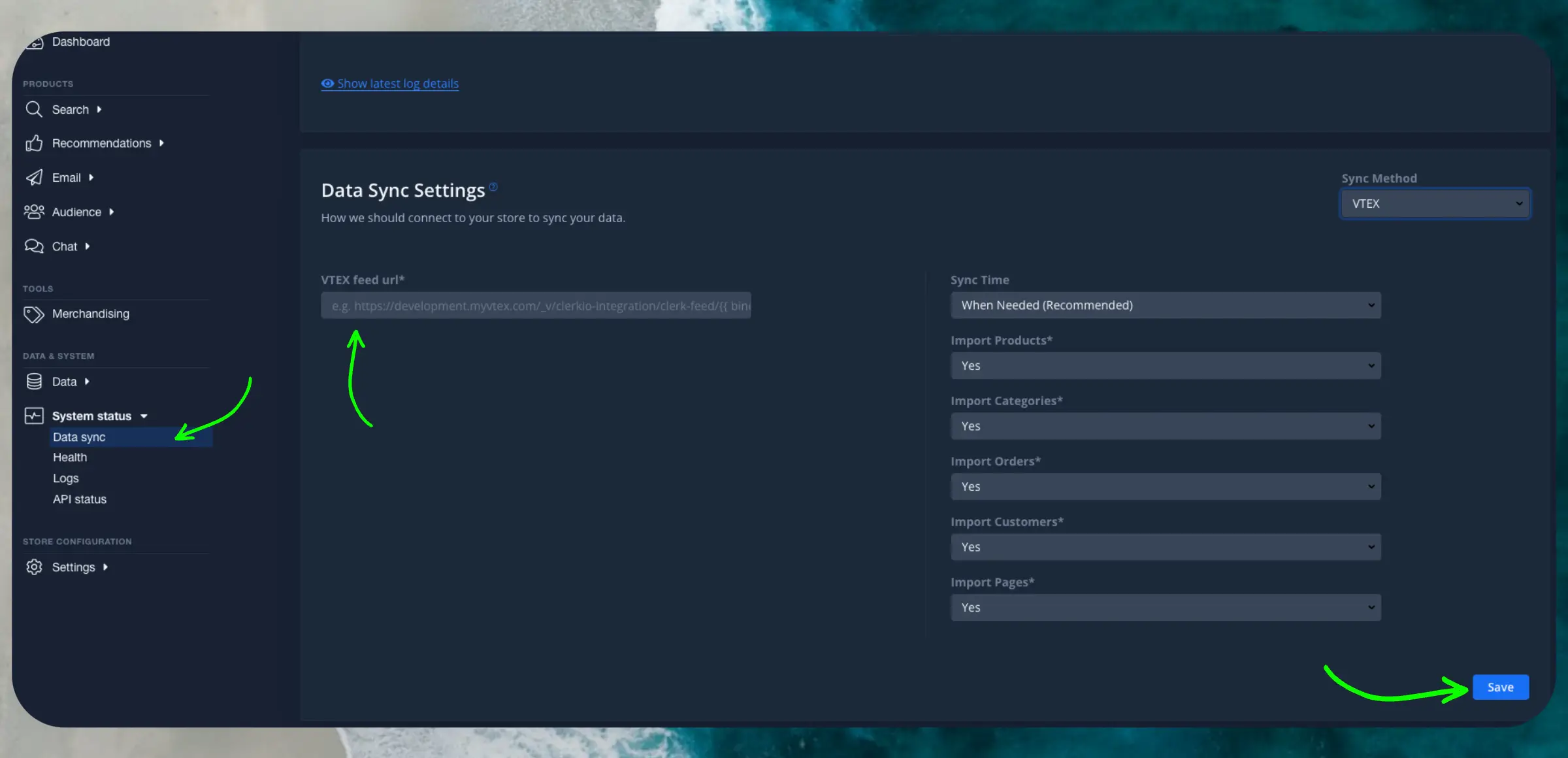
- Click on “Start new data sync”. This feed URL is exclusive for the use of ClerkIO.
If you want to validate your store’s feed use this endpoint instead: https://app.io.vtex.com/clerkiopartnerdk.integration-vtex/v1/{{accountName}}/{{workspace}}/_v/integration-vtex/clerk-feed/{{bindingId}} this endpoint requires VTEX authentication.
Clerk.io will now import your products, categories and sales. When its done, your store is connected. Good job!