Analytics
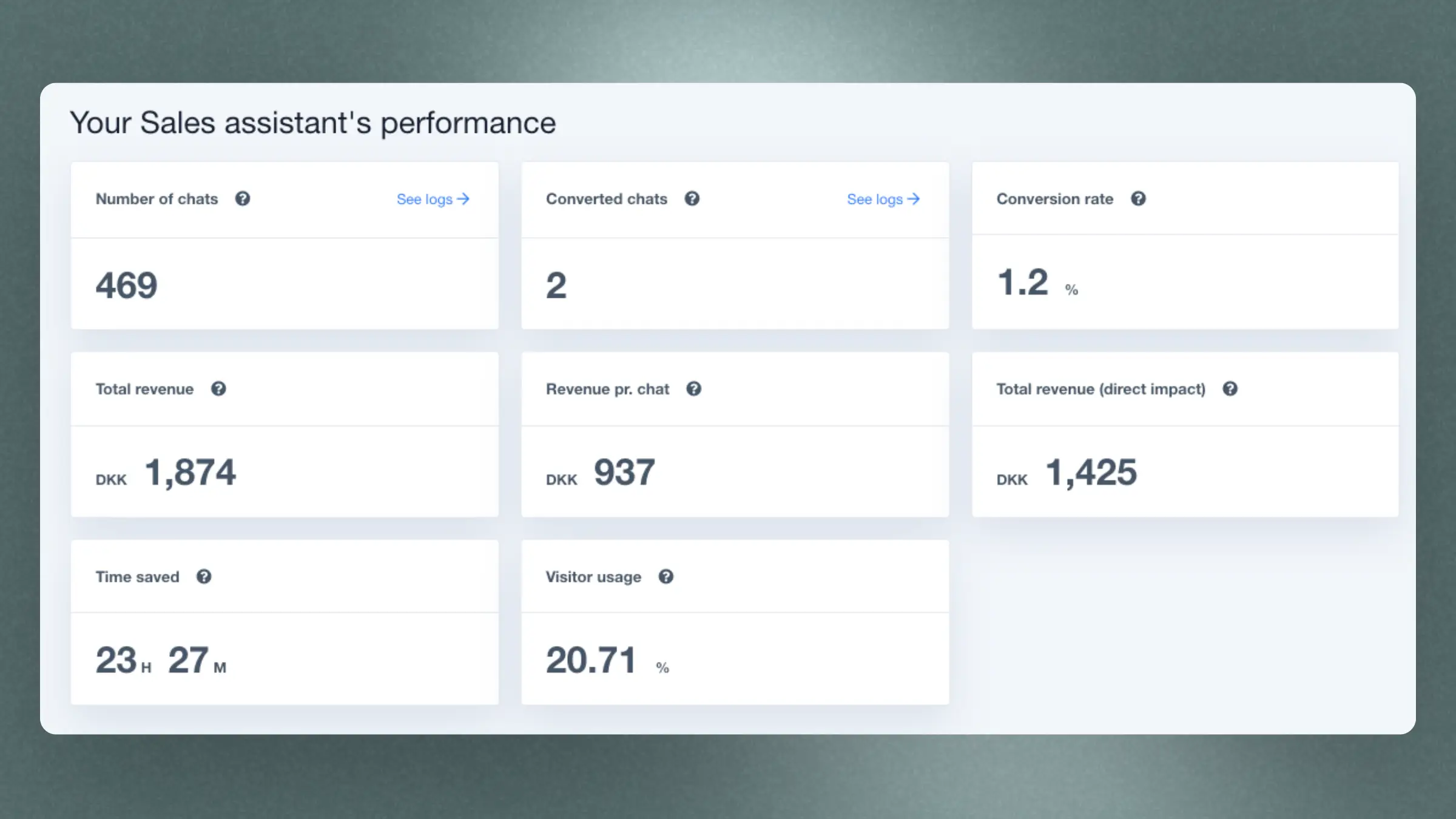
Chat Analytics connects visitor conversations with revenue, estimated time saved, conversation topics, and unsolved chats.
Revenue overview #
The overview cards show Chat activity for the selected period:
- Chat conversations: Conversations started during the period.
- Time saved: An estimate based on five minutes for each conversation that Chat marked as solved. This is a typical support-chat handle time, not a measured duration.
- Revenue after a chat: The full order value from people who chatted and later bought, including orders where they did not click a product in Chat.
- Revenue from products they clicked: Revenue from products visitors clicked in Chat. This is the same Chat number shown on Home.
Revenue after a chat is the full order value. Revenue from clicked products is included in that value, so do not add the two figures together.
Store comparison #
Chat Analytics compares conversion rate, average order value, and average basket size for visitors who used Chat with your store average. This is a comparison, not a controlled A/B test.
Revenue over time #
The Revenue after a chat over time chart shows the full order value from conversations started on each day in the selected period.
Conversation topics #
The Conversation topics section groups conversations by the main subject discussed:
- Product inquiry
- General information
- Delivery and Shipping
- Return and Cancellation
- Other
Select a topic to open the conversations behind it.
Unsolved conversations #
This section lists conversations where Chat did not solve the visitor’s problem or answer their question. They are grouped by the same topics, so you can identify recurring support questions.
Select a topic to review the conversations that need attention.