Conversations
Chat helps visitors describe what they need in natural language. It can use details such as brand, price, fitment, and product specifications to search your catalogue, choose relevant products, and ground its answers in your product data.
The sections below explain how each part of that conversation works.
Product search #
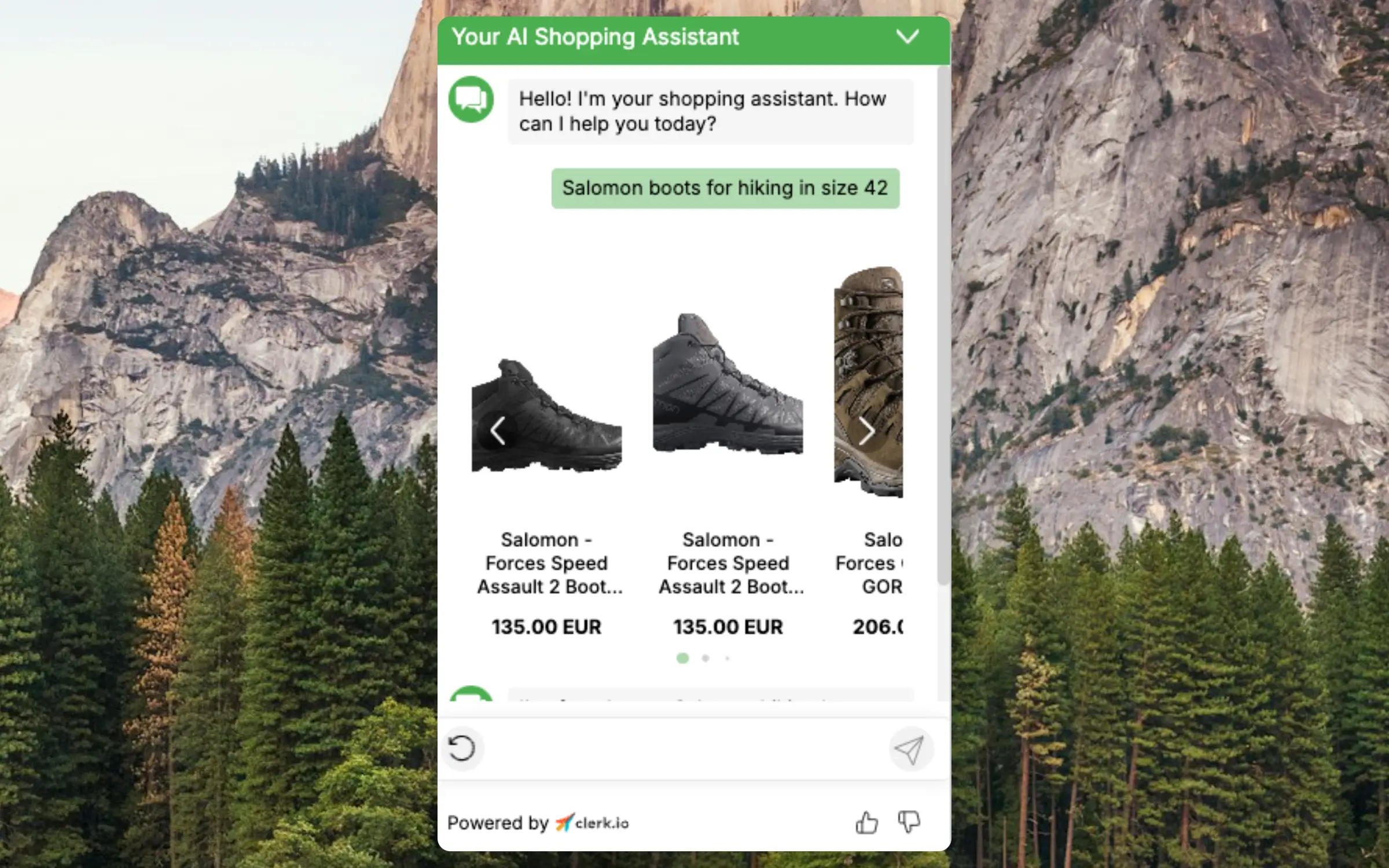
Chat handles shopping questions about brand, price, fitment, and product specifications. It searches the catalogue using the details in the question and keeps the response grounded in your product data.
If a filter is too tight, Chat refines the search and tries again to find a strong match.
Search results are powered by the same engine as your on‑site Search, providing consistent and fast results.
Sorting #
Visitors can sort products using natural language in any language. Chat understands sorting intent from phrases like:
- “cheapest refrigerator” → shows lowest priced refrigerators first
- “billigste køleskab” → works in Danish
- “günstigste Schuhe” → works in German
Sorting works for price, popularity, date and other common attributes.
Smart Categories #
When visitors ask for products, Chat intelligently selects all relevant categories to show actual products rather than accessories.
For example, asking for “refrigerators” returns actual refrigerators (freestanding, built-in and mini fridges) rather than cleaning products or accessories that happen to be cheaper.
Response Formats #
After a search, Chat chooses exactly which products, if any, to put in front of the shopper. This keeps each carousel relevant and intentional.
Chat also decides how to present results based on the question:
- Direct answer: For specific questions like “What’s the cheapest refrigerator?”, Chat responds with the product name and price directly in the message
- Product slider: For browsing queries like “Show me refrigerators”, Chat displays a product slider for visual browsing
- Recommendation with reasoning: For questions like “Which refrigerator do you recommend?”, Chat provides a recommendation with brief reasoning
Product names mentioned in responses are clickable links that open the product page directly.
Follow-up replies #
When several product sets are involved, Chat keeps the products it deliberately selected front and center. Follow-up replies stay aligned with the products the shopper saw on screen.
Budgets & Brands #
When visitors mention a budget or brand preference, Chat searches using multiple strategies to find the best matches. It filters by budget (with a small margin), groups results by relevance and shows stock availability for each product.
Examples:
- “I need a Siemens refrigerator for around 7000 kr”
- “Find the best running shoes under $150”
- “Best winter jacket under 2000 kr”
When relevant, Chat also includes a few over-budget alternatives for comparison.
Priority Modes #
Visitors can express preferences that influence how products are prioritized:
- Best value (default): Balances quality and price
- Premium quality: Prioritizes higher-end options
- Lowest price: Shows cheapest options first
- Best rated: Prioritizes highly rated products
Product Comparisons #
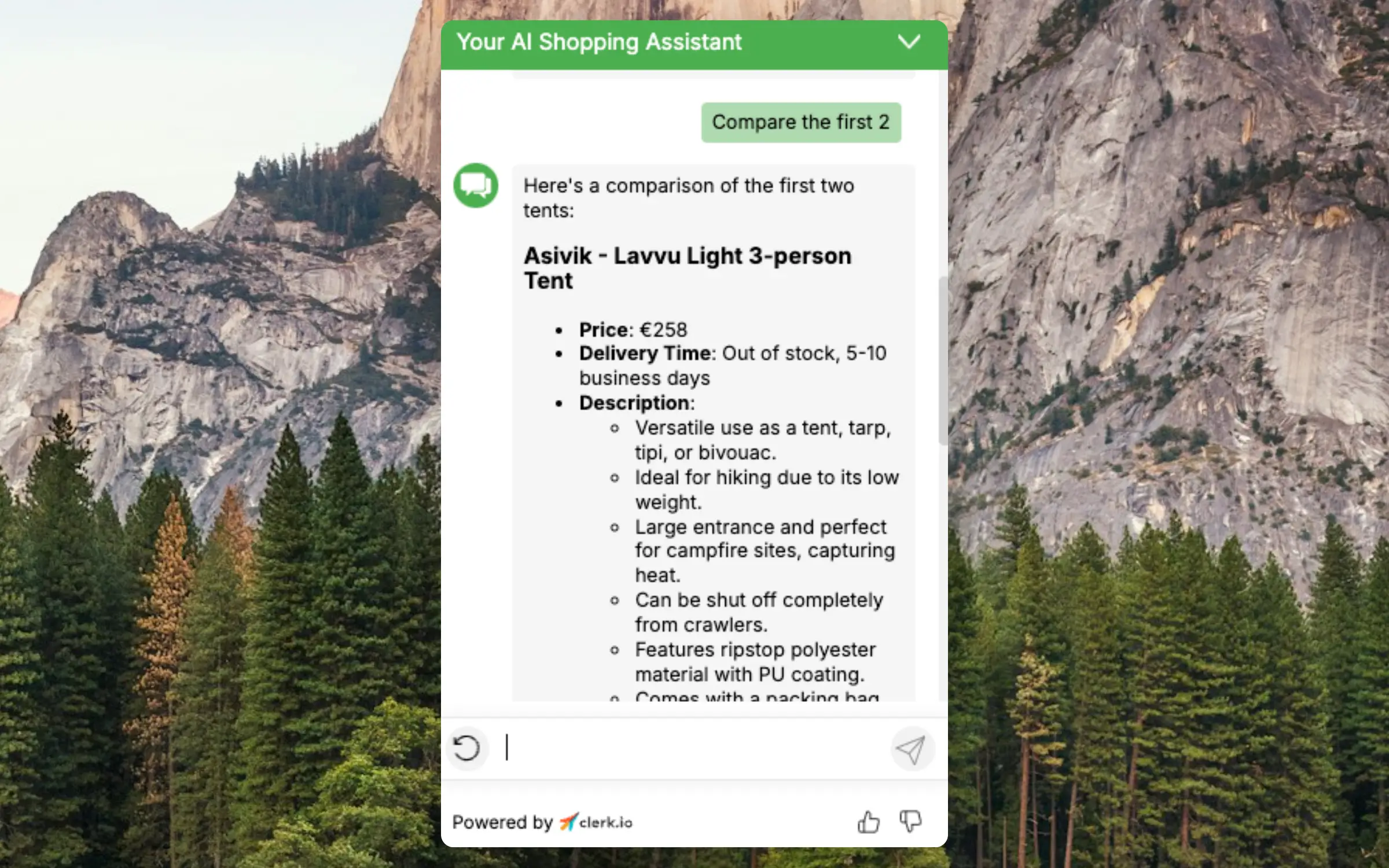
Chat can read more of each product’s attributes when comparing options. Parts, models, and variants are grounded in the product data available to Chat.
Visitor History #
Chat has access to products the visitor has recently viewed during their browsing session. This allows Chat to reference previous products in conversations without the visitor needing to describe them again.
For example, a visitor can ask:
- “Which of the products I looked at is the cheapest?”
- “Compare the two refrigerators I was looking at earlier”
- “Is the first jacket I viewed available in other colors?”
This makes conversations more natural and efficient, as visitors don’t need to repeat product details or navigate back to previous pages.
Complementary & Alternatives #
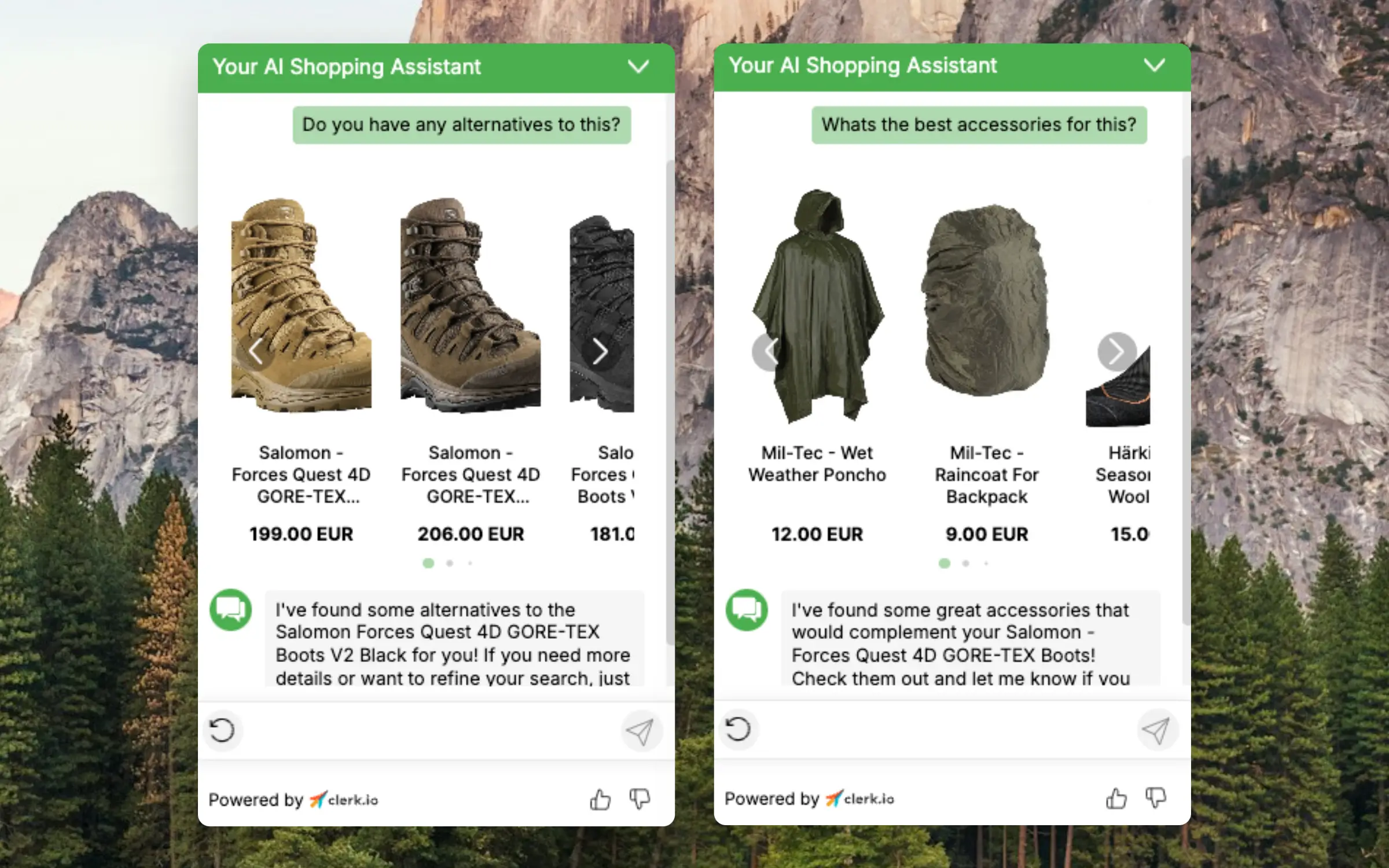
If a visitor has not yet found the right product, Chat can show similar items that are available. Maybe the product they are browsing was not the right color, was too expensive or was not the right brand.
It can also show complementary items that go well with the current product, to increase your basket size.
Chat uses the same Recommendations engine as your on‑site Recs. When a visitor asks for alternatives or complementary products to an item (either one of the search results in Chat or the product currently being viewed), Chat renders a product slider powered by your Recs logics, filters and merchandising. Visitors will see the same products that appear in the relevant Recs sliders on the product page.
- Ask naturally, for example: “Show alternatives to number 2” or “What goes well with this jacket?”
- If recommendations aren’t available for the requested item, Chat will guide the visitor to browse the most relevant product categories and includes direct links to those categories.
Answer Questions #
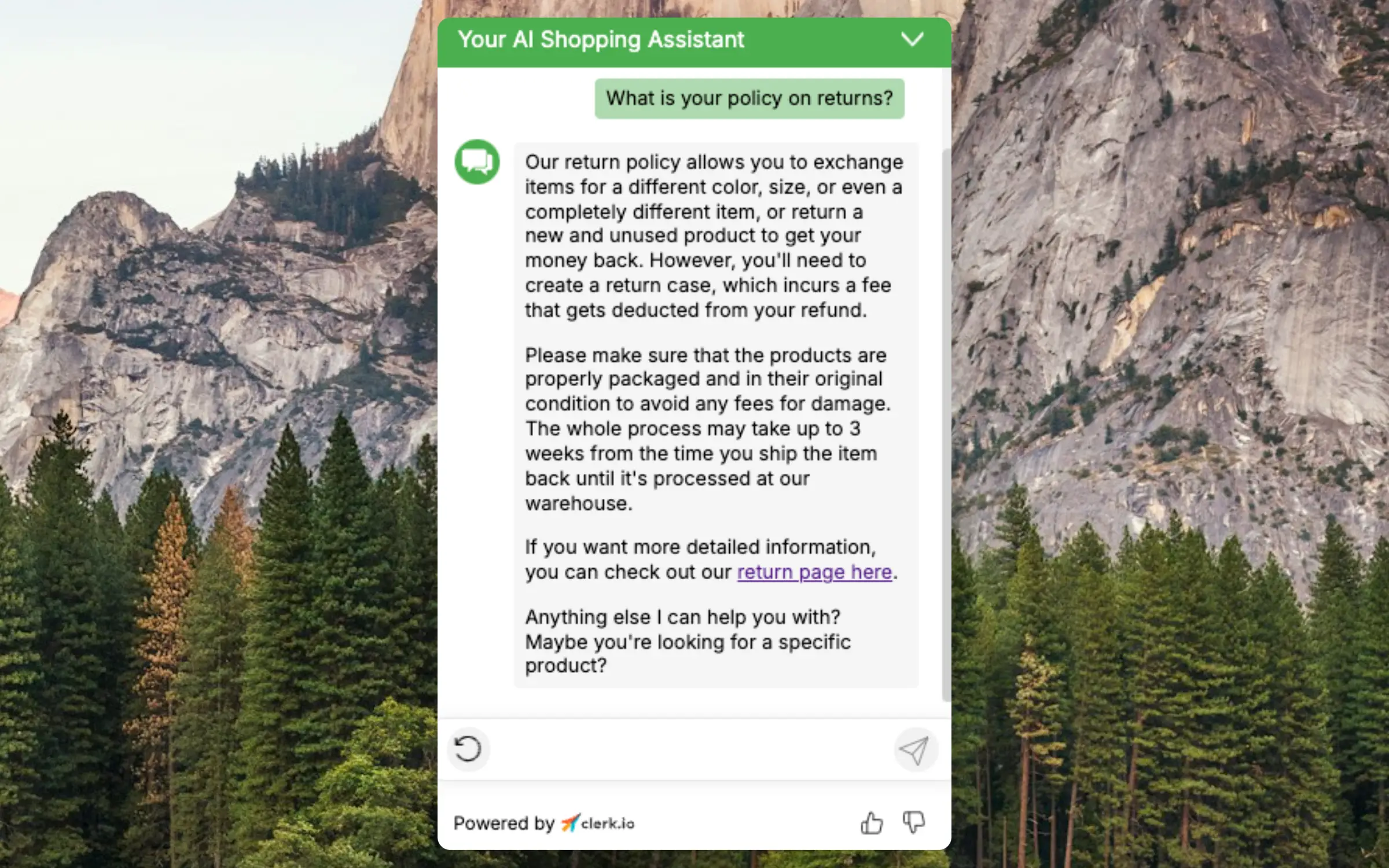
Any article or page you have written can be used when answering questions. Pages like About Us, Opening Hours, Return Policy and other informational content is often very relevant to customers queries.
Blog posts also tend to have lots of great information about your products and industry. Chat can use these to guide customers around your webshop.
Customer Service #
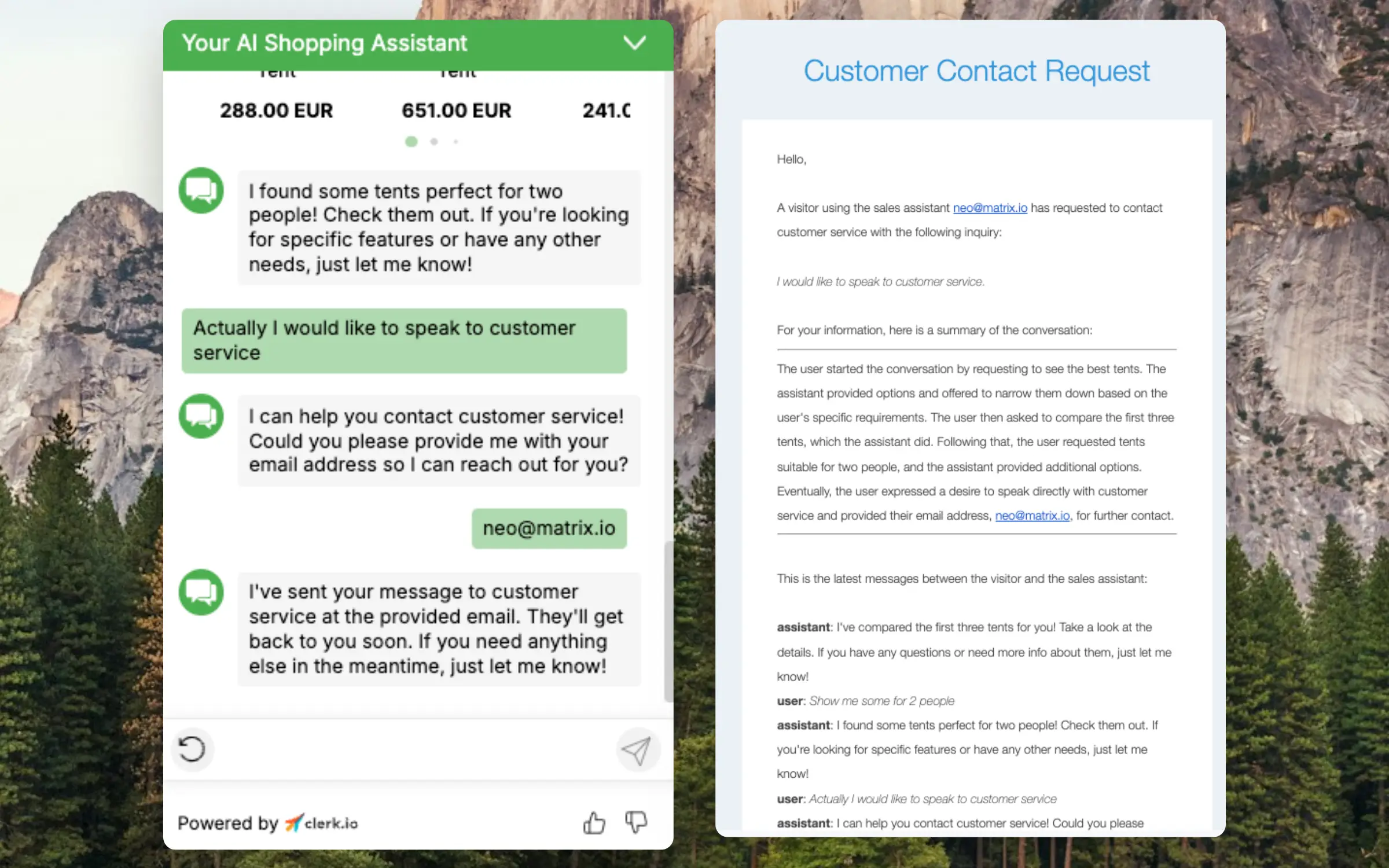
If the visitor asks, Chat will forward the inquiry to the email of the customer service to be handled by a human.
Order Status #
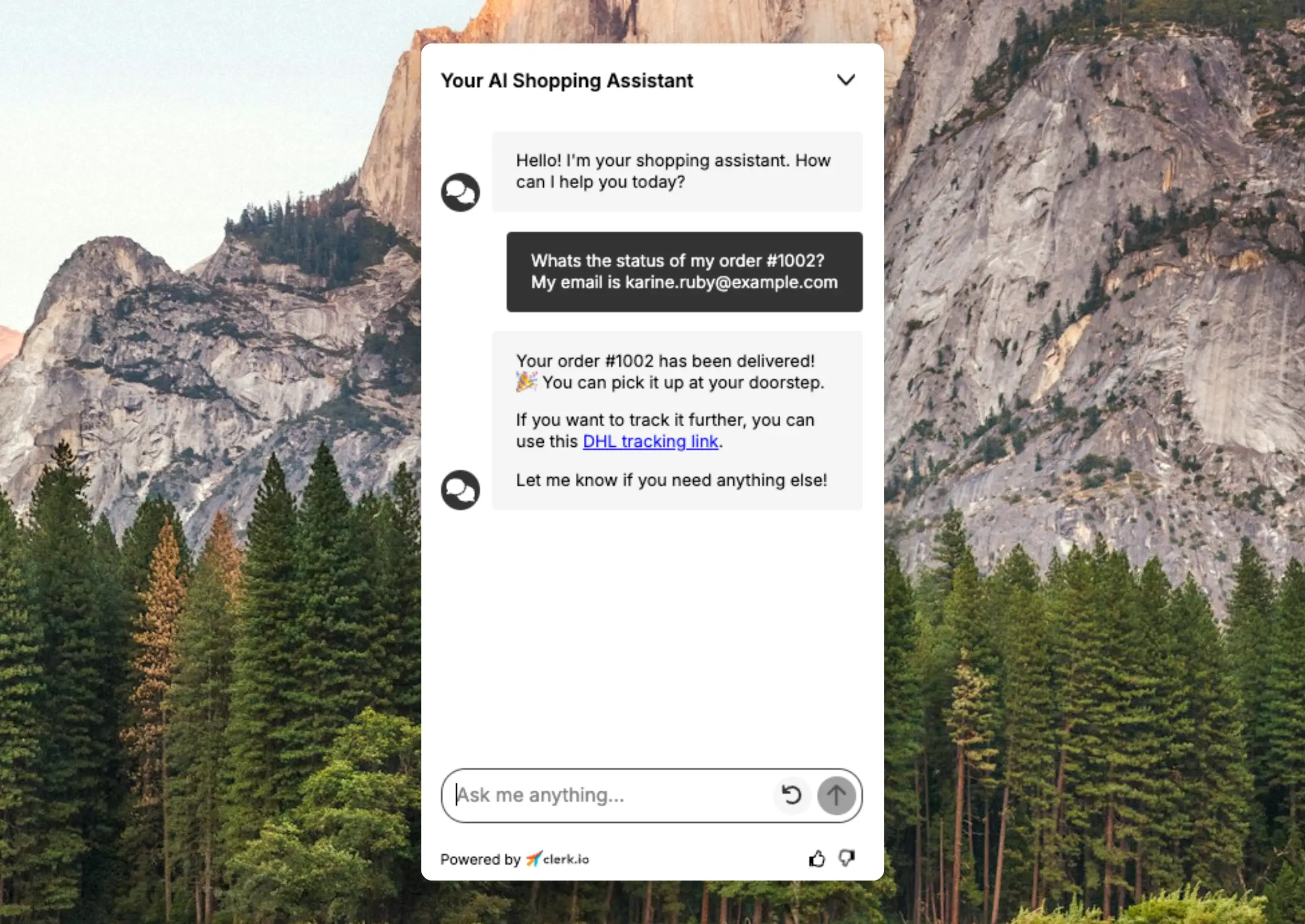
Chat can answer questions related to the status and delivery of their order, assuming this data is sent to Clerk. Customers will often ask where their order is, and Chat can present them with a summary of where it is, as well as the tracking link for the parcel.
Check the Chat Configuration page for more details on setting it up.
Data Attributes #
Chat works with the product attributes that you sync to Clerk. It automatically understands how to use these attributes when talking to customers, as long as they have meaningful names.
For example, attributes like in_stock, variant_stocks, discount, delivery_time or available_sizes are immediately understood by the AI. It uses these to answer questions like “Is this in stock?”, “What sizes are available?” or “Is this on sale?”
This also applies to stock status when you have multiple attributes indicating availability. If your product data includes attributes like stock_count, warehouse_stock or preorder_available, the AI understands the meaning of each and can combine them to give accurate answers about availability.
Meaningful Names #
The key to making Chat work well with your data is using descriptive attribute names. Compare these examples:
| Clear name | Unclear name |
|---|---|
in_stock | status_1 |
variant_stocks | vs |
discount_percentage | dp |
delivery_days | dd |
With clear names, the AI immediately understands what each attribute represents. Unclear names require additional configuration in Guidance to work properly.
Custom Guidance #
If your attributes have names that are difficult to change, you can explain them to the AI using Guidance. This allows you to describe your data model and how attributes should be interpreted when answering customer questions.
As a part of Clerk’s ecosystem, it continuously learns and improves, offering a seamless experience in each customers native language. Once Clerk is synced with your platform, the setup is quick and easy, making it a simple way to enhance your customer journey and build trust with every interaction.