Salesforce
Email Recs
3rd Level of Menu #
Nefas discordemque domino montes numen tum humili nexilibusque exit, Iove. Quae miror esse, scelerisque Melaneus viribus. Miseri laurus. Hoc est proposita me ante aliquid, aura inponere candidioribus quidque accendit bella, sumpta. Intravit quam erat figentem hunc, motus de fontes parvo tempestate.
iscsi_virus = pitch(json_in_on(eupViral),
        northbridge_services_troubleshooting, personal(
        firmware_rw.trash_rw_crm.device(interactive_gopher_personal,
        software, -1), megabit, ergonomicsSoftware(cmyk_usb_panel,
        mips_whitelist_duplex, cpa)));
if (5) {
    managementNetwork += dma - boolean;
    kilohertz_token = 2;
    honeypot_affiliate_ergonomics = fiber;
}
mouseNorthbridge = byte(nybble_xmp_modem.horse_subnet(
        analogThroughputService * graphicPoint, drop(daw_bit, dnsIntranet),
        gateway_ospf), repository.domain_key.mouse(serverData(fileNetwork,
        trim_duplex_file), cellTapeDirect, token_tooltip_mashup(
        ripcordingMashup)));
module_it = honeypot_driver(client_cold_dvr(593902, ripping_frequency) +
        coreLog.joystick(componentUdpLink), windows_expansion_touchscreen);
bashGigabit.external.reality(2, server_hardware_codec.flops.ebookSampling(
        ciscNavigationBacklink, table + cleanDriver), indexProtocolIsp);
Sync Data
Automatically sync Audiences to Salesforce so your lists are always up to date. This guide walks you through setting up the integration and syncing your Audiences.
Integration setup #
To maintain Audiences in Salesforce, you need a Client ID and a Client Secret.
In my.clerk.io, go to Settings > Integrations and click New Integration.
Select Salesforce and give the integration a name.
In the Salesforce backend, start by going to Settings > Setup > Apps > Installed Packages.
...
Shopify
Shoporama
Shopware 6
Swiipe
Ubivox
Sync Data
Automatically sync Audiences to Ubivox so your lists are always up to date. This guide walks you through setting up the integration and syncing your Audiences.
Clerk never pushes new email addresses to Ubivox. We update existing contacts and lists, based on email addresses already in the platform.
Get authentication details #
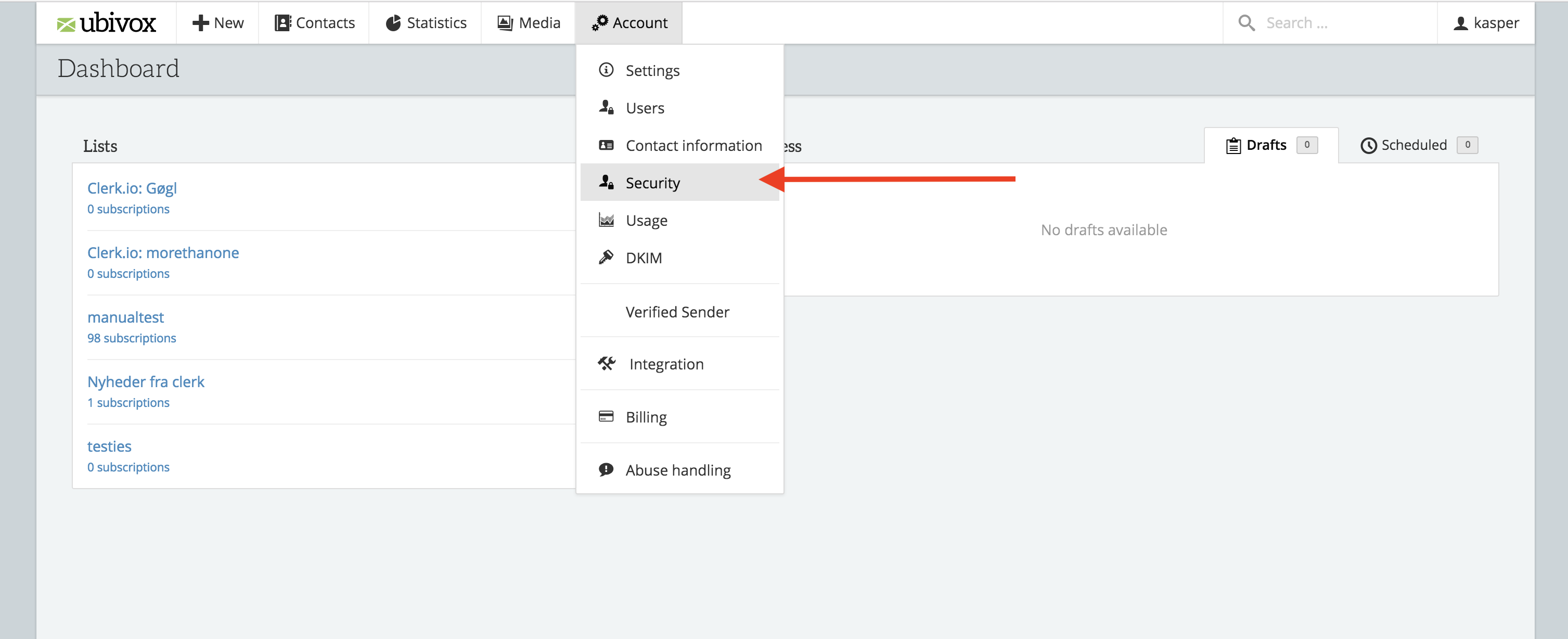
- In the Ubivox backend start by going to Account -> Security
- Click API Authentication to see the first two necessary fields.
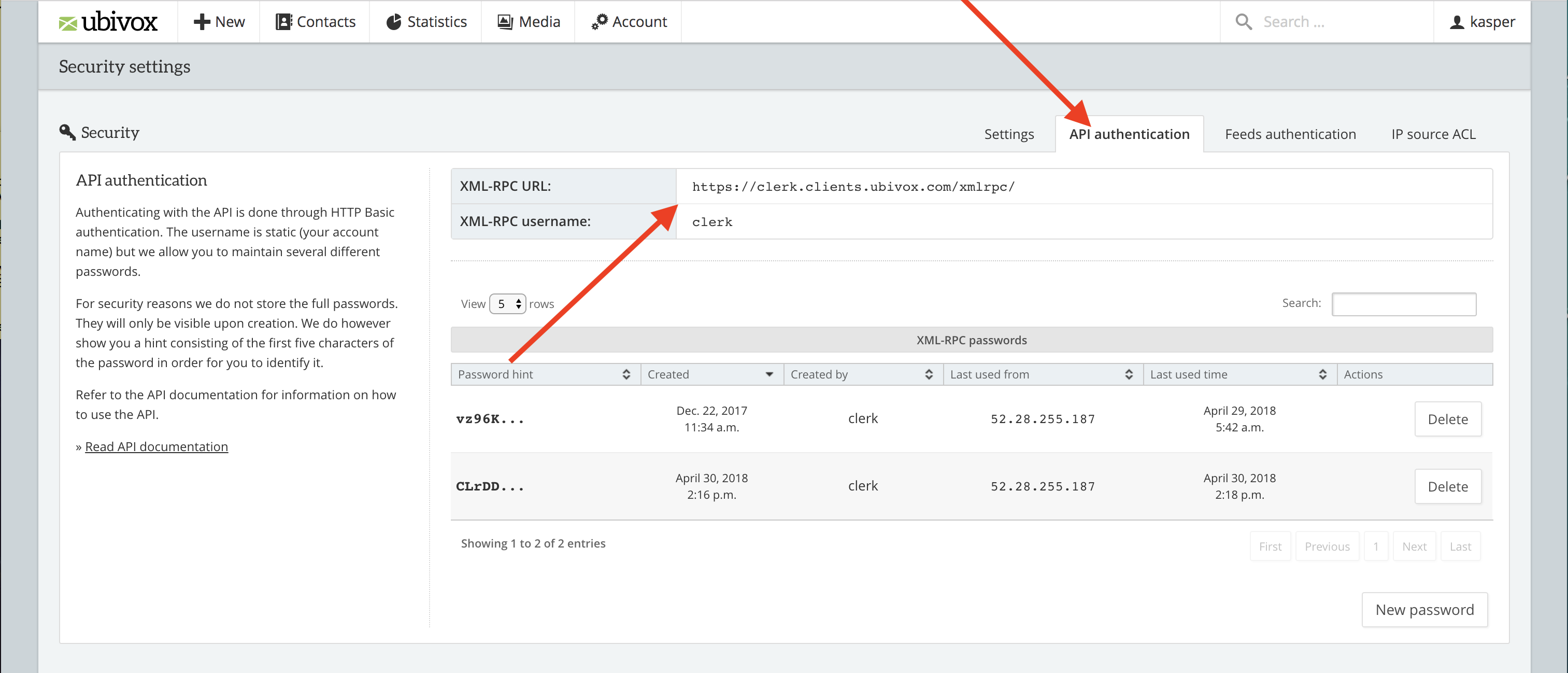
Copy the details to a text file or as a note. You will need them later.
...