Popups
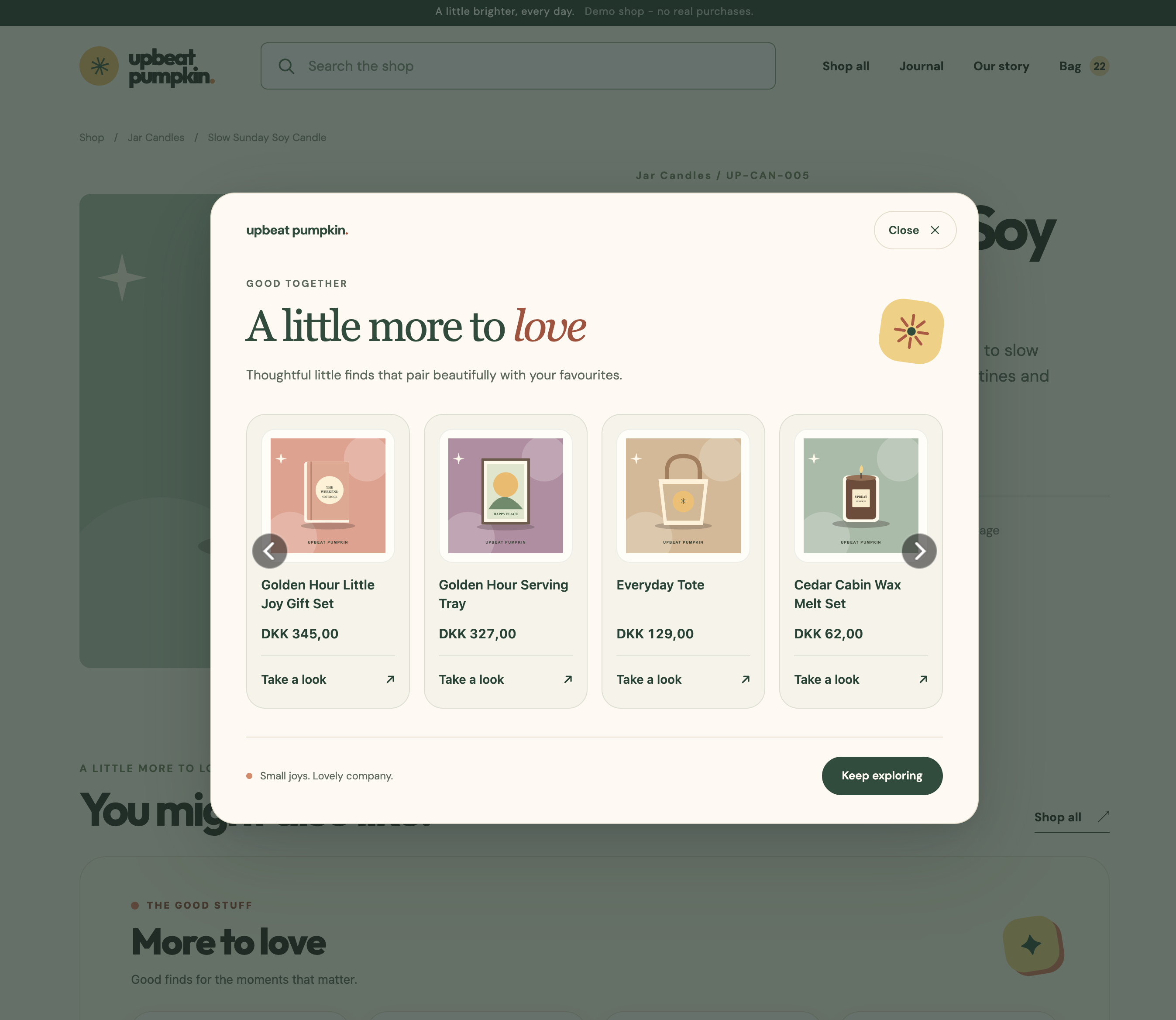
Clerk.io can inject recommendation popups into your webshop and let you control them from my.clerk.io. Use them to suggest products after a visitor adds an item to their cart or when they are about to leave.
Find them under Recommendations > Popups.
Popup types #
Choose the popup type based on when you want to show recommendations.
After add-to-cart #
The Powerstep popup appears after a visitor adds a product to their cart. It shows the added product’s name and image, helping the visitor confirm what they added.
Inject a recommendation slider into the popup to show products based on your selected recommendation logic.
Exit intent #
The exit intent popup is triggered when a visitor tries to close the page. You control its triggers from my.clerk.io.
Inject a recommendation slider into this popup to show products based on your selected logic before the visitor leaves.
Product selection #
The slider’s recommendation logic determines which products appear in the popup. Choose a logic that fits the popup’s purpose, such as suggesting products to add to the visitor’s purchase.
See Logics for the available recommendation options and Sliders for how sliders display products.
Design #
Use the popup element’s Design to customize its appearance to match your webshop.
Recommendation popups have a ready-made Powerstep design and a blank design for a custom layout.
To collect email subscribers instead of showing product recommendations, use an Email popup.